Driving your vehicle
1006
Smart Cruise Control (SCC)
h (5 mph) each time the switch is
operated in this manner.
僅 You can set the speed to 30 km/h (20
mph).
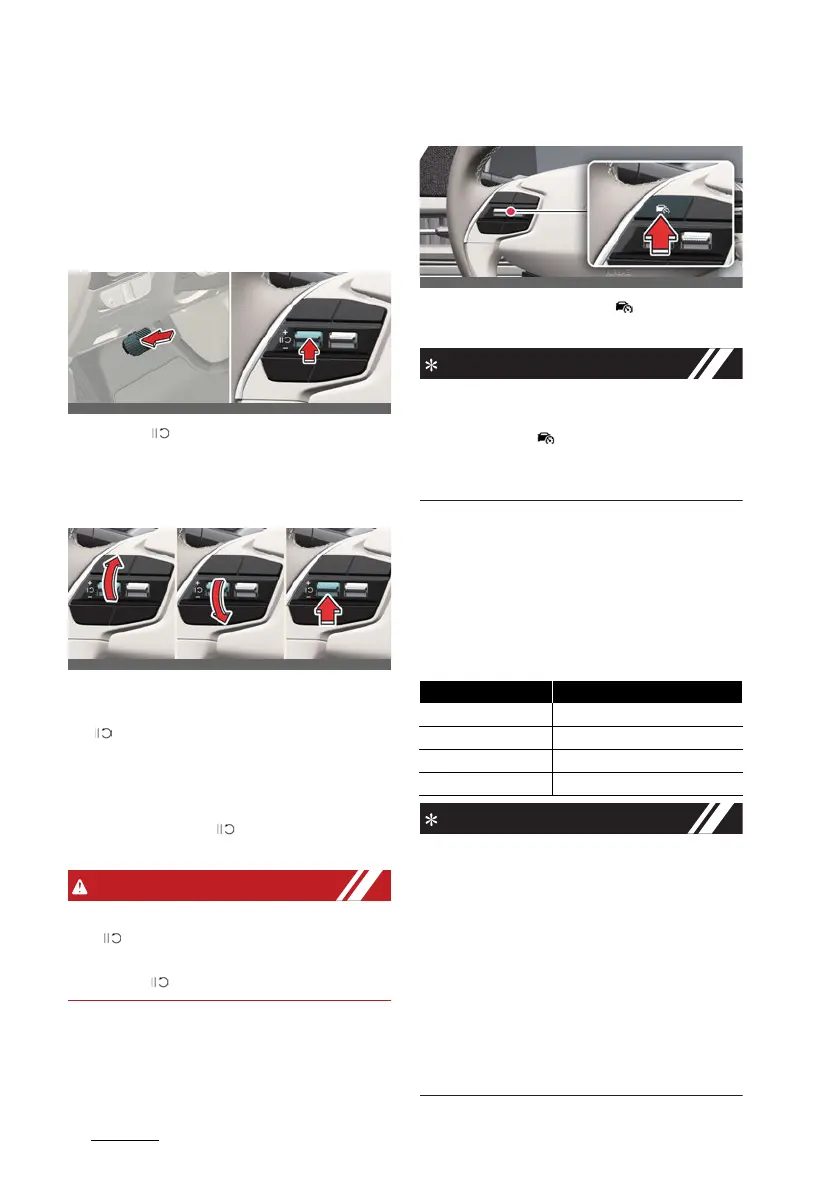
To temporarily cancel Smart
Cruise Control
Press the ( ) switch or depress the
brake pedal to temporarily cancel Smart
Cruise Control.
To resume Smart Cruise Control
To resume Smart Cruise Control after
the function was canceled, push the +, -
or ( ) switch.
僅 If you push the + switch up or - switch
down, vehicle speed will be set to the
current speed on the cluster.
僅 If you push the ( ) switch, vehicle
speed will resume to the preset speed.
Check the driving condition before using
the ( ) switch. Driving speed may
sharply increase or decrease when you
press the ( ) switch.
To turn off Smart Cruise Control
Press the Driving Assist ( ) button to
turn Smart Cruise Control off.
If your vehicle is equipped with Manual
Speed Limit Assist, press and hold the
Driving Assist ( ) button to turn off
Smart Cruise Control. However Manual
Speed Limit Assist will turn on.
Based on Driving Mode
Smart Cruise Control will change accel
-
eration based on the drive mode
selected from Drive Mode Integrated
Control function. Refer to the following
chart.
僅 For more details on Drive Mode, refer
to "Drive mode integrated control sys
-
tem" on page 6-32.
僅 Smart Cruise Control may not turn on
or off in some of the drive modes for
the operating conditions are not satis
-
fied.
僅 If your vehicle is not equipped with
Drive Mode Integrated Control sys
-
tem, Smart Cruise Control accelerates
your vehicle at a normal level.
Drive Mode Smart Cruise Control
SNOW
Normal
ECO
Slow
SPORT
Fast
NORMAL
Normal



 To Next Page