101
6
6
Driving your vehicle Smart Cruise Control (SCC)
Based on driving style (if
equipped)
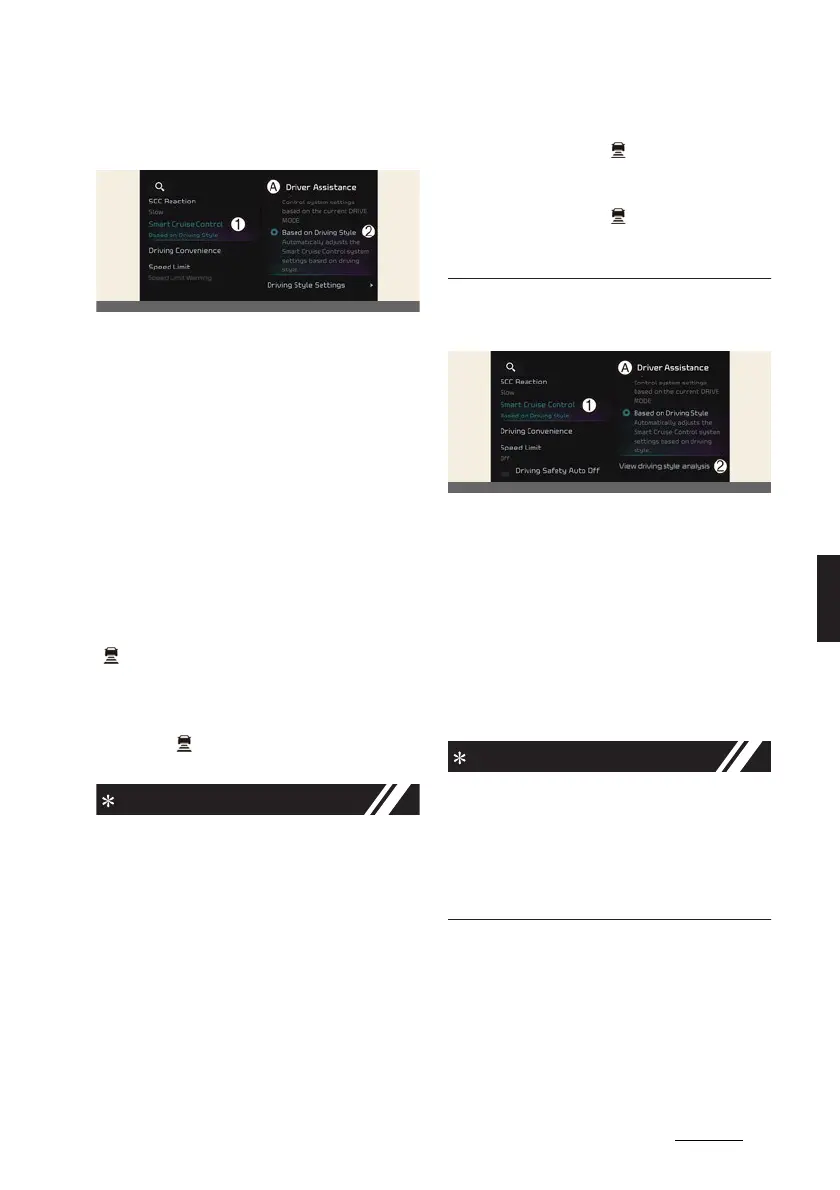
A:
Driver assistance
1 SCC (Smart Cruise Control)
2 Based on driving style
With the vehicle on, if
Settings
→
Vehi
-
cle
→
Driver assistance
→
SCC (Smart
Cruise Control)
→
Based on driving
style
is selected from the infotainment
system screen, Smart Cruise Control will
operate based on the driver's driving
style, such as vehicle distance, accelera
-
tion, reaction speed.
While Smart Cruise Control is operating
with
Based on driving mode
selected, if
you press and hold the Vehicle Distance
( ) button, Smart Cruise Control will
change to
Based on driving style
. While
Smart Cruise Control is operating with
Based on driving style
, if the Vehicle
Distance ( ) button is pressed, it will
change to
Based on driving mode
.
僅 If equipped with Based on Driving
Style,
Based on driving mode
and
Based on driving style
can be
selected from the infotainment sys
-
tem screen by selecting
Settings
→
Vehicle
→
Driver assistance
→
SCC
(Smart Cruise Control)
.
僅If
Based on driving mode
is selected,
Smart Cruise Control will operate
based on the drive mode selected.
僅 While Smart Cruise Control is operat
-
ing with
Based on driving style
selected, if you press and hold the
Vehicle Distance ( ) button, Smart
Cruise Control will change to
Based
on driving mode
. Press and hold the
Vehicle Distance ( ) button to
change Smart Cruise Control to
Based on driving style
mode.
View driving style analysis (if
equipped)
A:
Driver assistance
1 SCC (Smart Cruise Control)
2 View driving style analysis
With the vehicle on, select
Settings
→
Vehicle
→
Driver assistance
→
SCC
(Smart Cruise Control)
→
View driving
style analysis
from the infotainment
system screen to check the driver's driv
-
ing style, and to change each driving
style manually.
僅
View driving style analysis
is dis
-
played when
Based on Driving Style
is selected.
僅 Smart Cruise Control learns the
driver's driving styles only when the
driver drives the vehicle.



 To Next Page