Chapter 3: System operation
130 P/N 3102351-EN • REV 005 • ISS 28DEC18
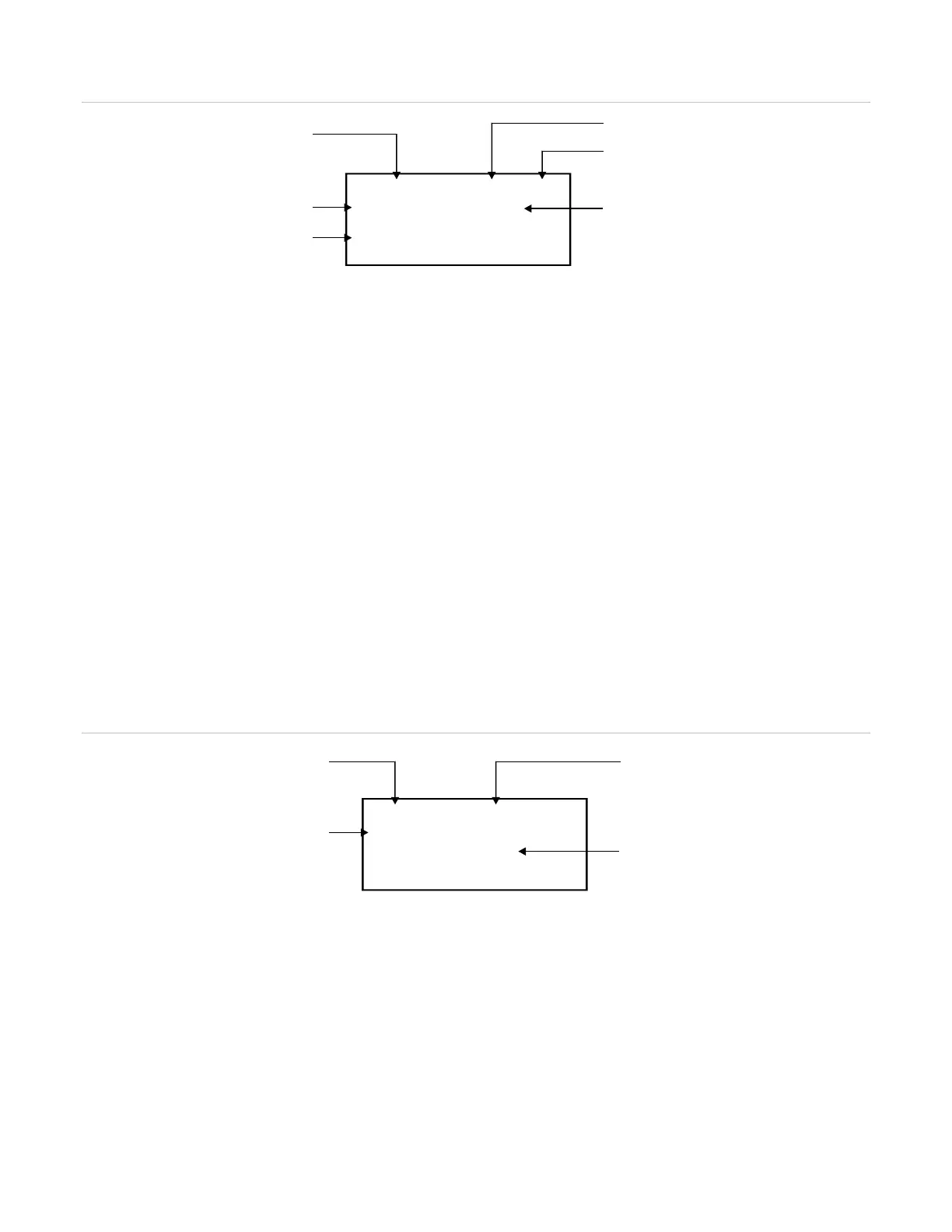
Figure 49: LCD under off-normal conditions
Event details display screens
The off-normal events that take place in the system contain event information that is displayed
on the LCD screen. Additional information is available on a secondary screen. The screen
displays the following information based on the type of event that takes place:
• Loop number: The loop the device is on
• Device number: The device address (number)
• Device type: The device type that was assigned in programming
• Serial number: The serial number assigned to the device
• Internal event number: See “Event ID numbers and descriptions” on page 142
• Zone number and device label for devices in zones
• Annunciator number and label
• Other information when it is available
Figure 50: Device event details display screen
00:00:00 A001 D001
001 Alarm Active
Computer room closet
Floor 1
Time
Active points
Disabled
points
Event
number
Event type
message
Device
label
Loop 1 Device 001
Smoke
Ser#3333333333
Loop
number
Device
number
Device
type
Serial
number



 To Next Page