TM
Model 3000M0188-01
Rev. 6/11 6-29
KPM II Monitor Operation
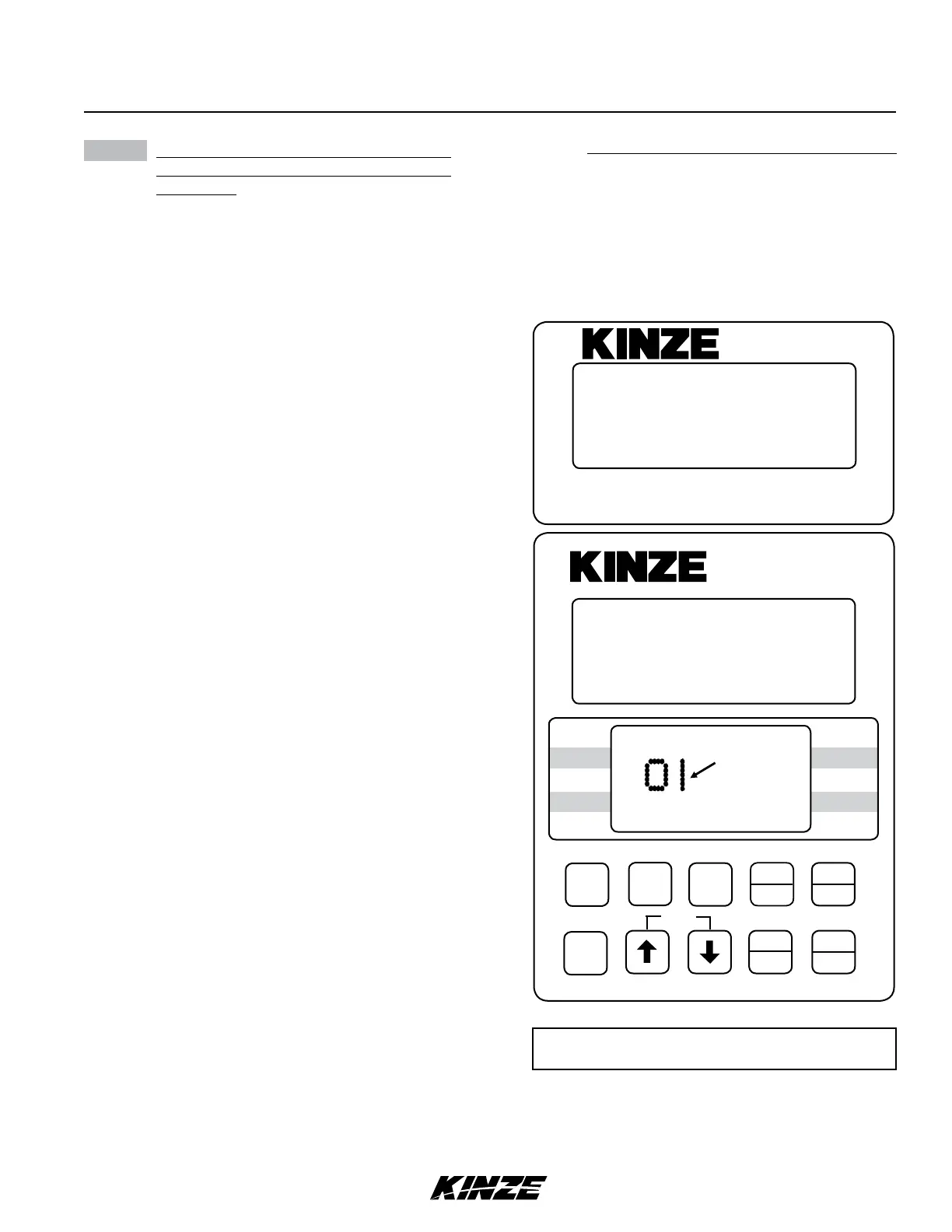
STEP 9 Follow STEPS 6, 7 and 8 to install the
second, third and fourth sections (If
Applicable). If no seed tubes are installed
on the additional sections, press and hold
the OK key. “DONE” appears on upper
display. Alarm sounds four short beeps
followed by one long beep and SAVE? icon
turns off. The monitor has exited the setup
mode. When you release the OK key upper
display scrolls “WAITING CALIBRATION”.
Lower display shows “GNDSPD” and alarm
sounds continually until distance sensor is
connected. See STEP 10.
NOTE: SMM console LCD remains blank
(except the backlighted screen) until
entire system is saved.
NOTE: SMM console may not be applicable to
all models.
12060212
ON
AREA
OFFEXIT
ENTER
OK
CLEAR
SETUP
ROW
SPACING
TOTAL
AREA
UNITS
SPEED
VOLUME
SCAN
SEED
POPULATION
SEED
SPACING
FIELD
AREA
SPACING
TOTAL
SEED
POP.
FIELD
SELECT
SPEED
SCAN
SETUP
ROW
FRONT
SMM
SETUP
FRONT
12111098765432(1 13 14 15 16 17 18)
FLASHING
Row Waiting To
Be Connected
KPM II
•
NOTE: Illustrated using rear/front configuration.
The KPM II Stack-Mode console shows LEFT in
the left/right configuration, REAR in the rear/front
configuration and FRONT LEFT/REAR LEFT in
the four sections configuration. The SMM console
shows RIGHT in the left/right configuration, FRONT
in the front/rear configuration and FRONT RIGHT/
REAR RIGHT in four sections configuration.


 To Next Page
 Loading...