M0188-01Model 3000
7-16
Rev. 9/17
TM
Lubrication and Maintenance
BRUSH-TYPE SEED METER MAINTENANCE
Use clean, high quality seed. Damaged or cracked Seed, hulls, or foreign materials can become lodged in upper brush
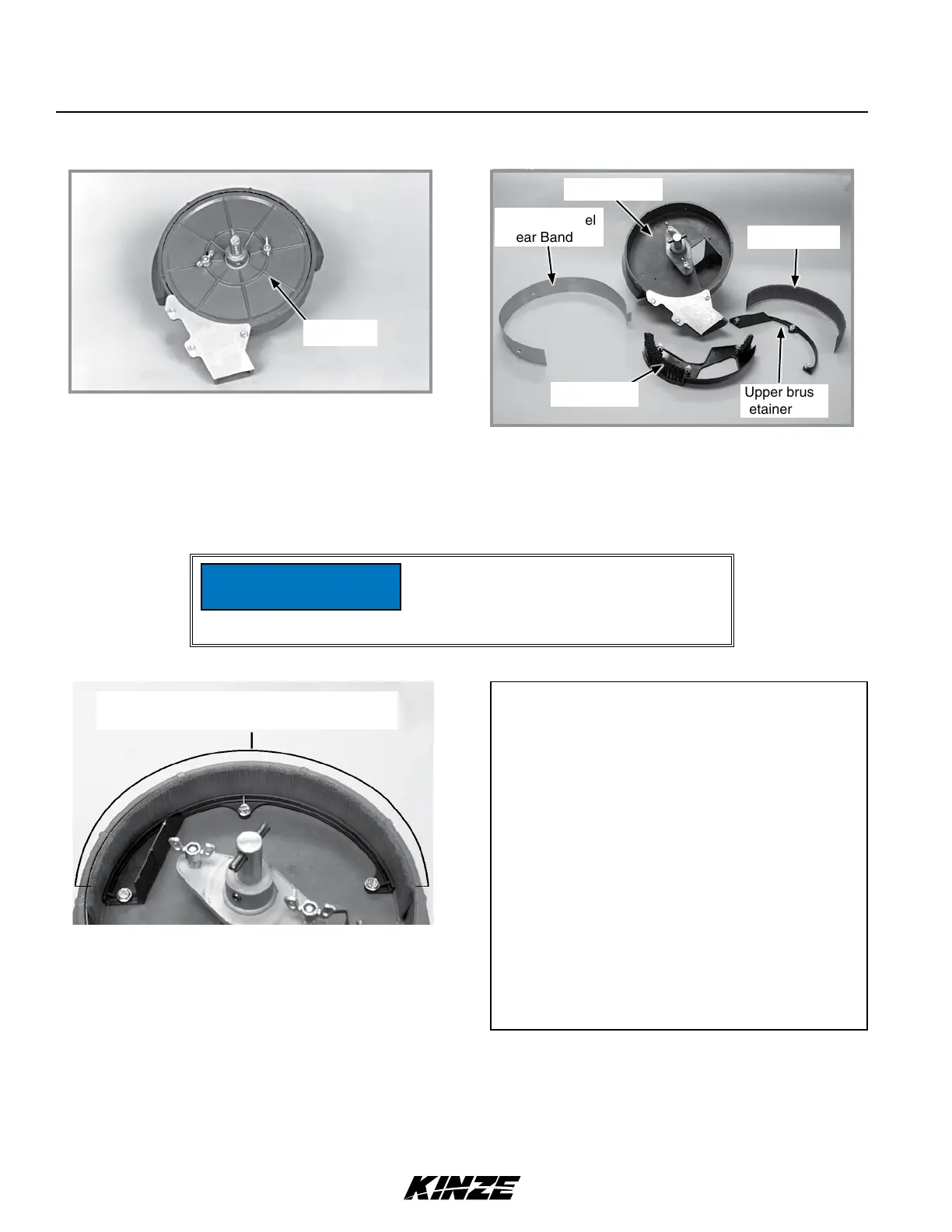
and greatly reduce meter accuracy. Remove seed disc daily and check for buildup of foreign material on seed disc,
particularly in seed loading slots. Clean disc by washing it with soap and water. Check for cracked seed, hulls, etc.
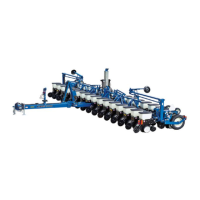
lodged between brush retainer and stainless steel wear band which can greatly reduce accuracy of the meter because
upper brush will not be able to retain seed in seed disc pocket. Thoroughly clean brush areas of meter housing.
Cleaning brush-type seed meter for storage:
Upper brush area where foreign materials may
become lodged and reduce meter accuracy.
Seed disc
Stainless Steel
Wear Band
Upper brush
retainer
Meter housing
Lower brush
Upper brush
Replace hopper lids after hoppers are
filled to prevent accumulation of dust
or dirt in seed meter which will cause
premature wear.
NOTICE
Cleaning brush-type seed meter for storage:
1. Remove meter from seed hopper by removing
two thumbscrews securing meter to hopper.
2. Remove seed disc and wash with soap and water
and dry thoroughly.
3. Remove upper brush by removing three hex
head screws from brush retainer and removing
brush retainer and upper brush.
4. Remove three hex head screws from lower brush
and remove lower brush and stainless steel wear
band.
5. Wash all parts and meter housing with soap and
water and dry thoroughly.
6. Inspect all parts and replace worn parts.
7. Reassemble meter except for seed disc. Store
Meter in a dry, rodent-free space with seed
disc removed.


 To Next Page