Part 1 Basic Functions 1-24
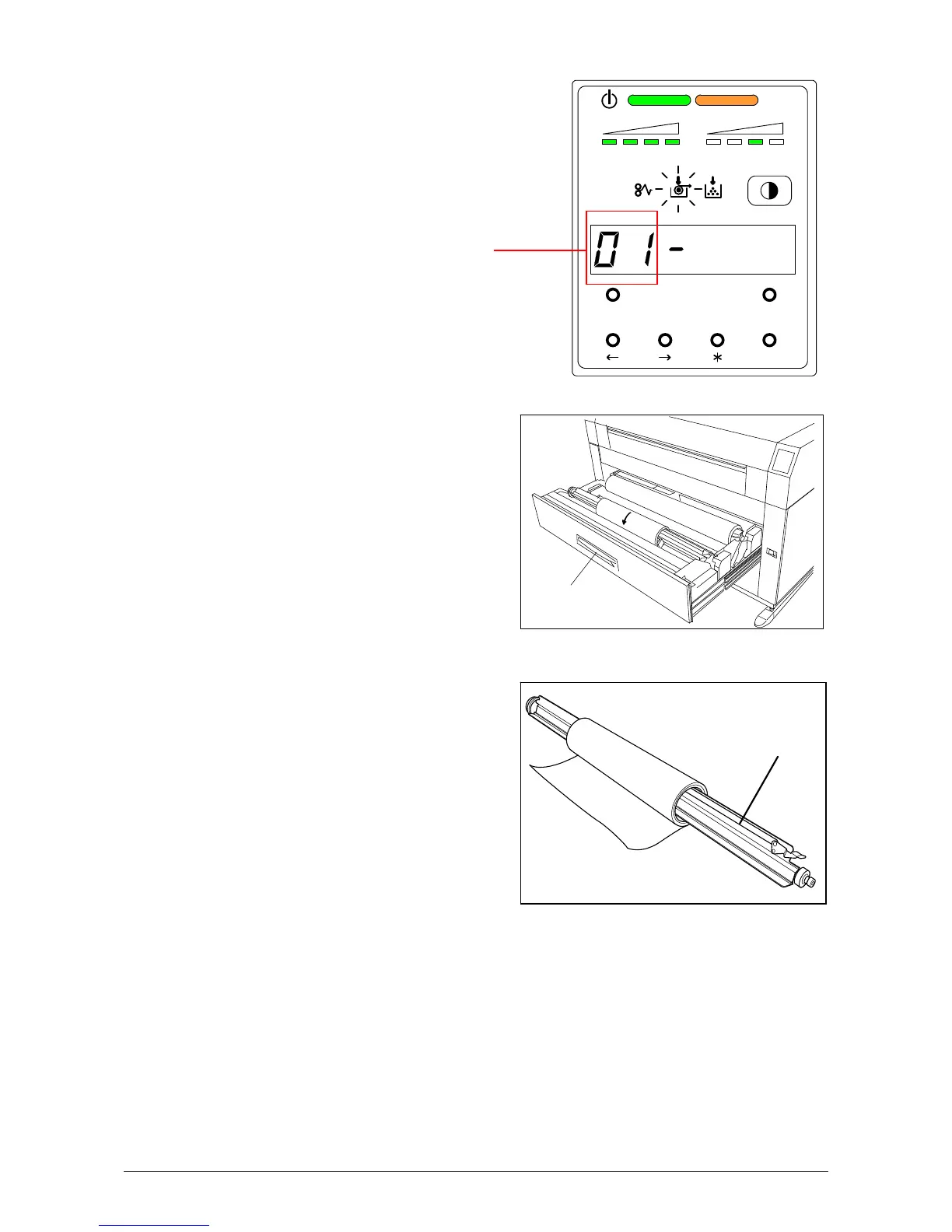
1) When the Roll Empty Indicator lights, check the emptied Roll Deck Number on the Display.
Example : Roll Deck Number is “01”.
This means the media in the
Roll 1 is empty.
2) Open the Roll Deck (A).
Rewind the remaining paper around its core
as shown arrow.
3) Remove the Roll Spool (B) from the Roll Deck.
B
A
MENU TEST
TONER REMAIN IMAGE DENSITY
job
ENTER
Roll Deck Number



 To Next Page