12 | USING THE STAND MIXER
USING THE STAND MIXER
ATTACHING/REMOVING THE BOWL
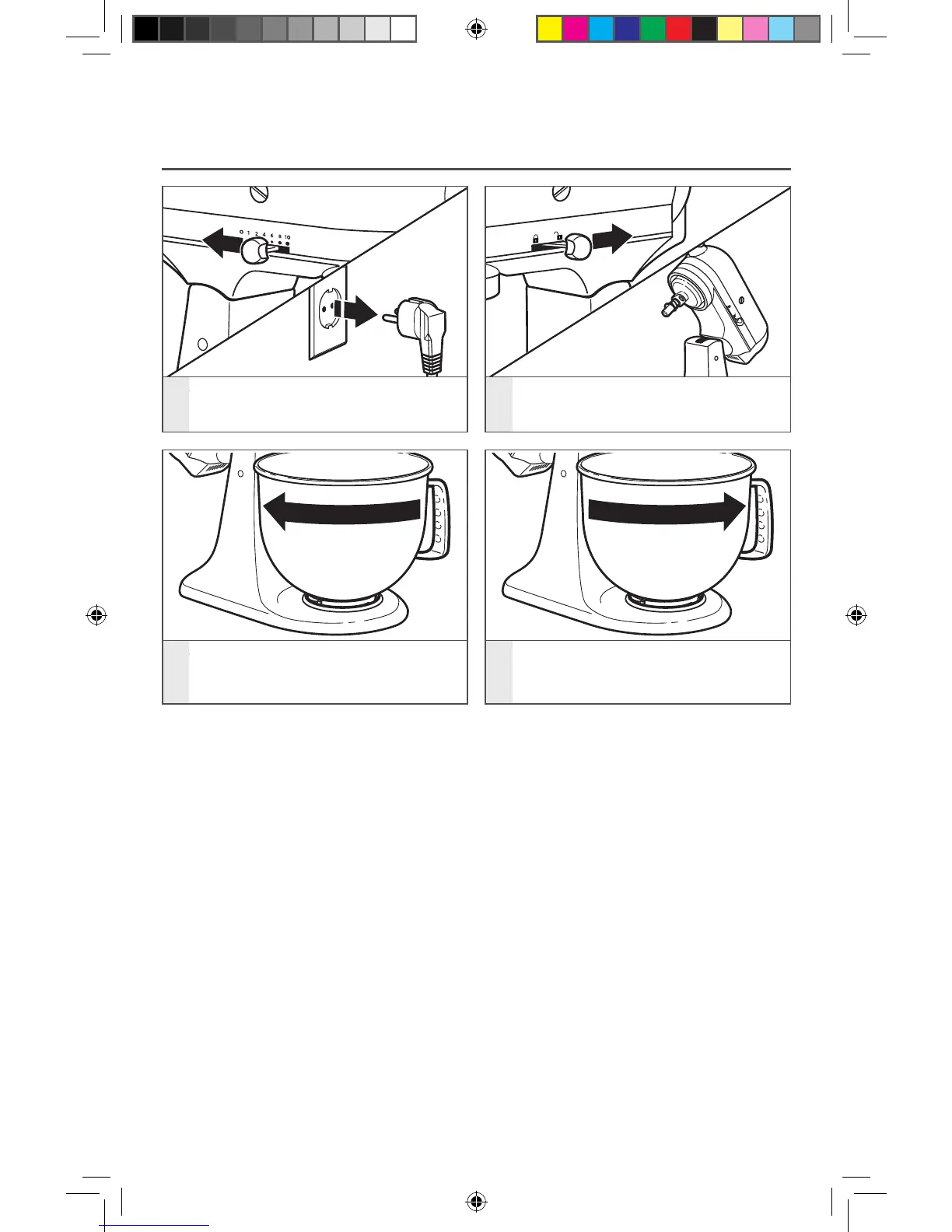
1
To attach bowl: Turn speed control
to “0”. Unplug Stand Mixer.
2
Hold the locking lever in the UNLOCK
position and tilt motor head back.
3
Place bowl on bowl clamping
plate. Turn bowl gently in
clockwise direction.
4
To remove bowl: Repeat steps 1
and 2. Turn bowl gently
counterclockwise.
W10863290A_01_EN_v06.indd 12 3/30/16 11:18 AM


 To Next Page
 Loading...