4-13
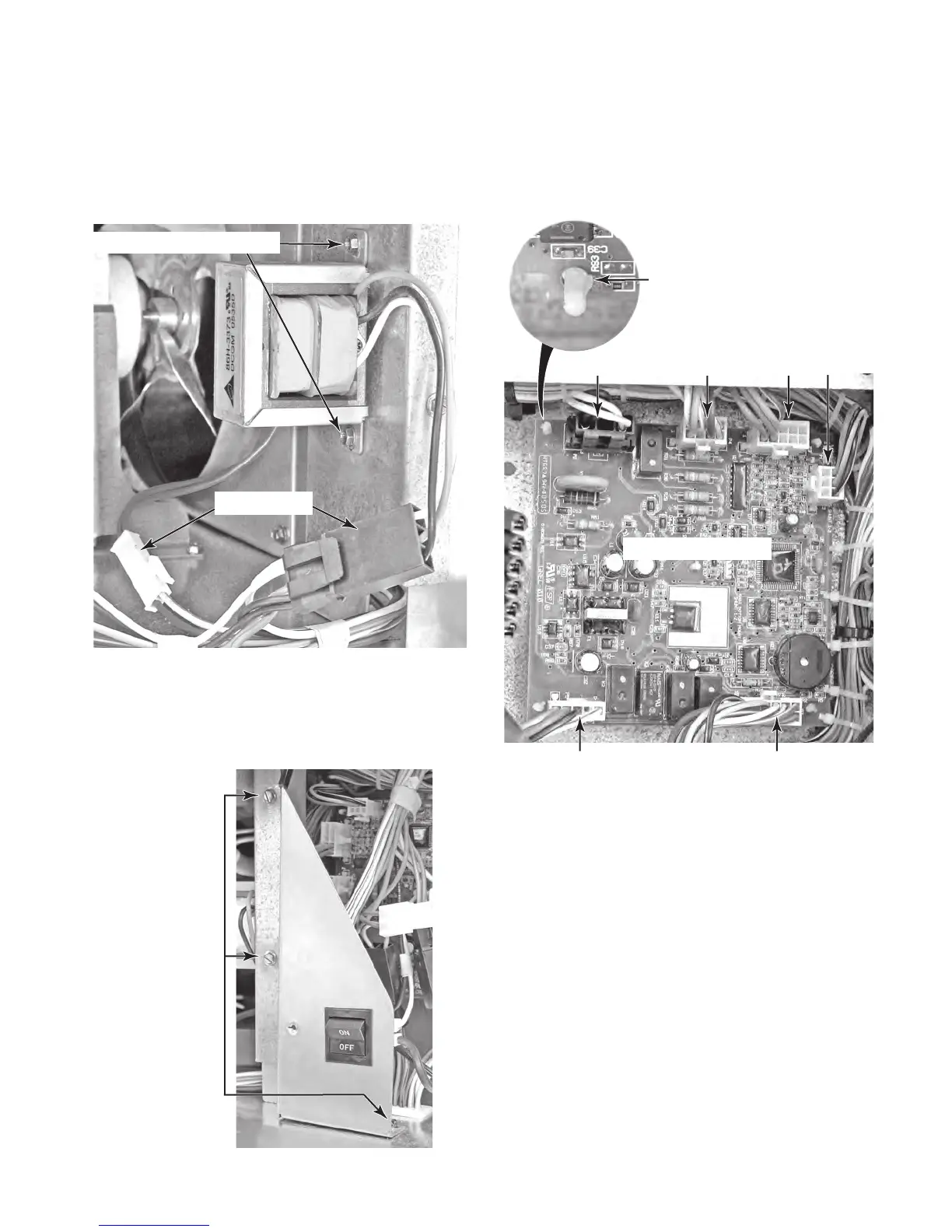
6. To remove the main control board:
a) Remove the three hex-head screws
from the power switch bracket and move
the bracket out of the way.
5. T
o remove the 24 volt transformer:
a) Disconnect the two wire connectors
from the wire harness.
b)
Remove the two hex-head screws and
remove the transformer.
Connectors
24V Transformer Screws
P8 P4 P3 P6
P5 P7
Main Control Board
b) Disconnect the six wire connectors from
the control board.
c) Press in on the locking tab and lift
the control board off each of the five
standoffs.
3 Power Switch
Bracket Screws
Standoff
Locking Tab
Continued on the next page.



 To Next Page