4-14
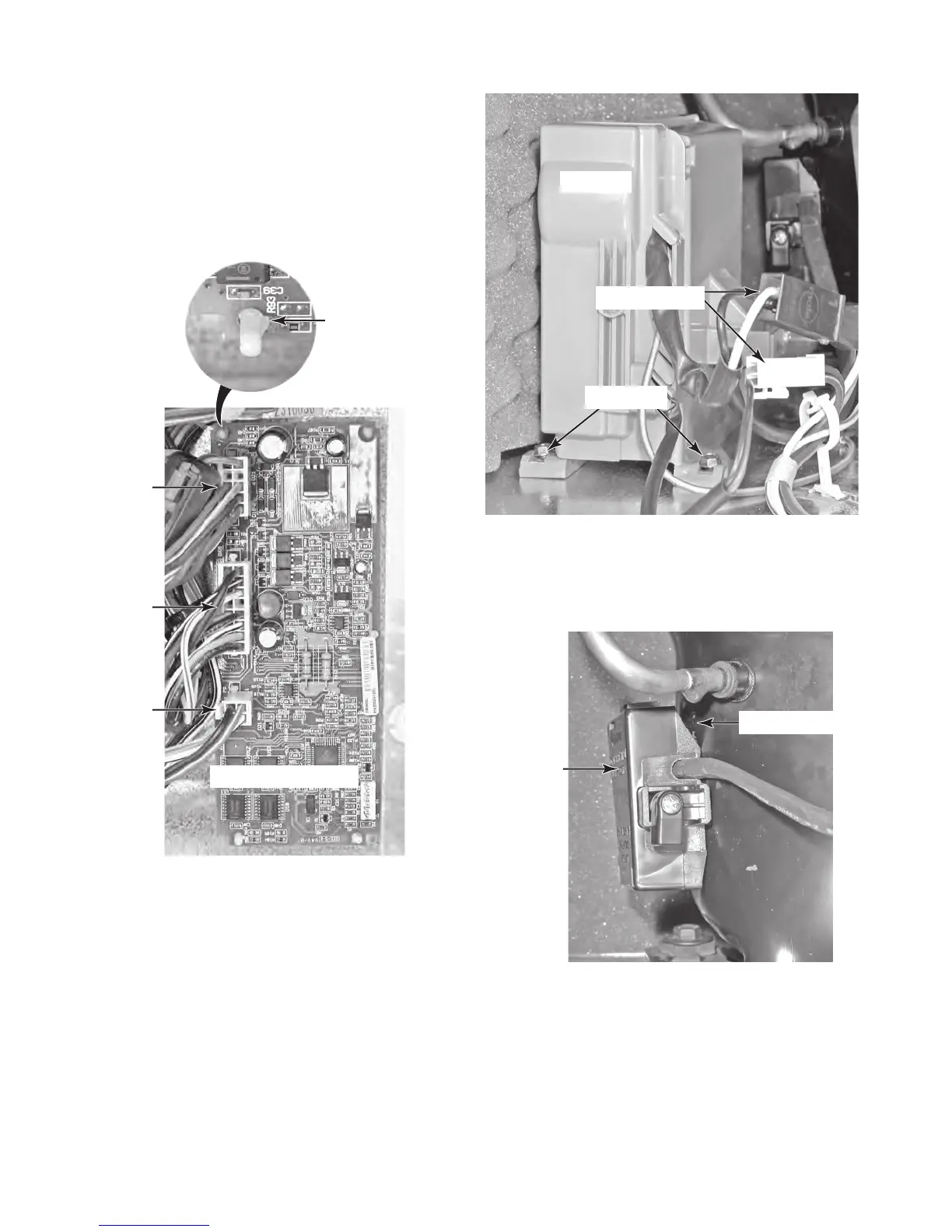
8. To remove the inverter:
a) Disconnect the two wire connectors
from the wiring harness (see the top
right photo).
b)
Remove the two hex-head screws
from the front of the inverter, and posi-
tion the inverter out of the way of the
compressor terminal cover.
7. To remove the low voltage control
board:
a)
Disconnect the three wire connectors
from the control board.
b)
Press in on the locking tab and lift
the control board off each of the four
standoffs.
P5
Standoff
Locking Tab
P4
P2
Low Voltage Board
c) Insert a screwdriver into the side open-
ing of the compressor terminal cover,
pry out on the cover, and unsnap it
from the compressor.
Inverter
2 Connectors
2 Screws
Side Opening
Terminal
Cover



 To Next Page