2-8
SURFACE BURNERS
1. Turn on one of the surface burners and set
the flame to its lowest (LOW) setting. The
flame should be steady and the inner cone
should be dark blue in color. The size
should be approximately 1/4″ (0.64 cm)
high.
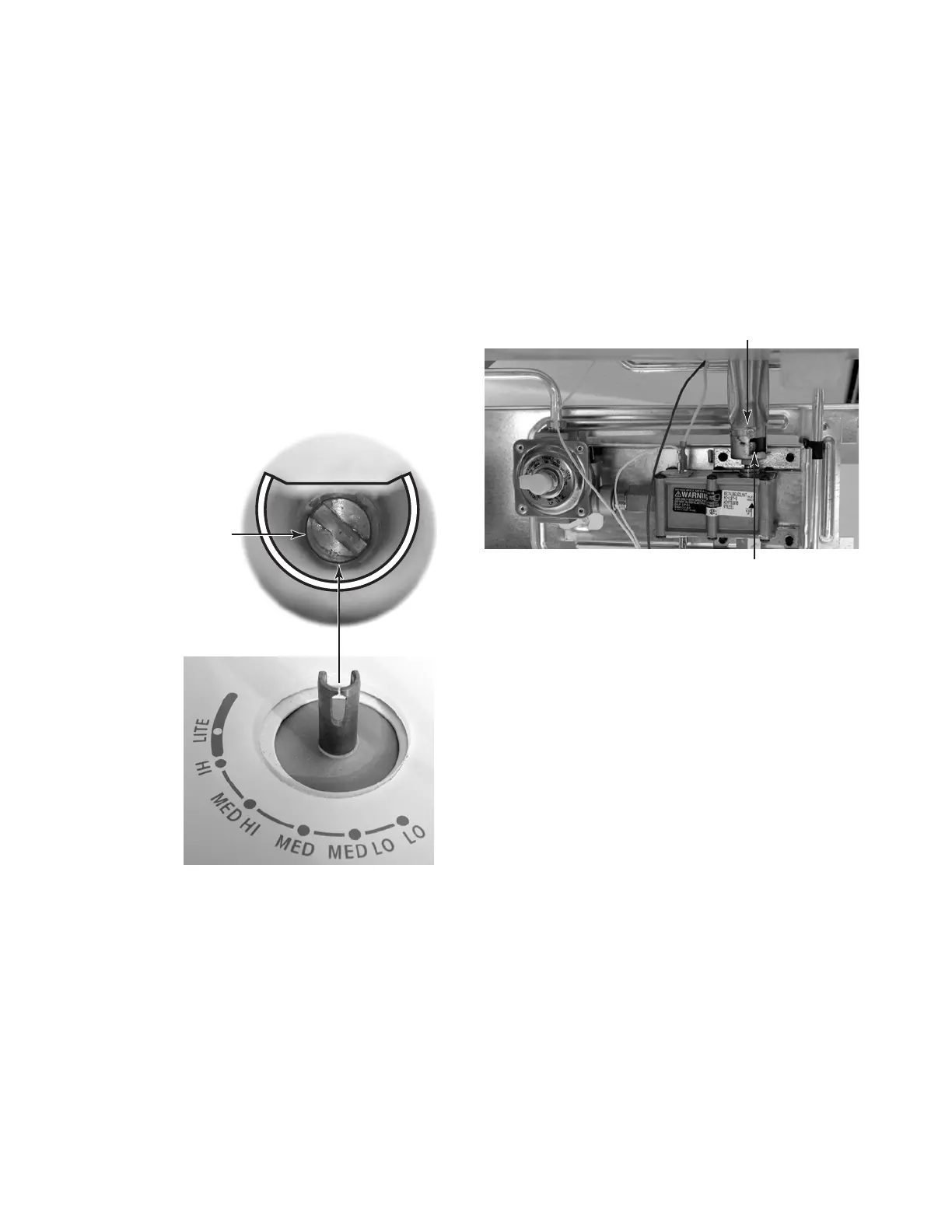
2. If the low flame needs to be adjusted:
a)Remove the control knob.
b) Look inside the gas valve stem and note
the small screw. Insert a small screw-
driver into the gas valve stem and fit it
in the screw slot.
ADJUSTING FOR THE PROPER FLAME
BAKE BURNER
1. Remove the oven racks and oven bottom.
2. Light the bake burner and check the flame.
It should be approximately 1/2″ (1.3 cm)
high.
3. If the burner flame needs to be adjusted:
a)Loosen the locking screw on the burner
air shutter.
c) Hold the gas valve stem with a pair of
pliers, and turn the screw in either di-
rection until the flame size is approxi-
mately 1/4″ high.
d)Replace the control knob.
e)Turn the control knob from HI to LO and
check to make sure that it remains ad-
justed properly.
f) Check the other three burners, and ad-
just them, if necessary.
Flame
Adjustment
Screw
Air Shutter Screw
b)Adjust the air shutter until the flame is
the proper height. The inner cone
should be bluish-green, and the outer
mantle should be dark blue. There
should be no blowing or lifting of the
flame away from the burner ports.
NOTE: Natural gas flame does not have
a yellow tip.
c) Retighten the air shutter screw.
Bake Burner Air Shutter



 To Next Page