4-22
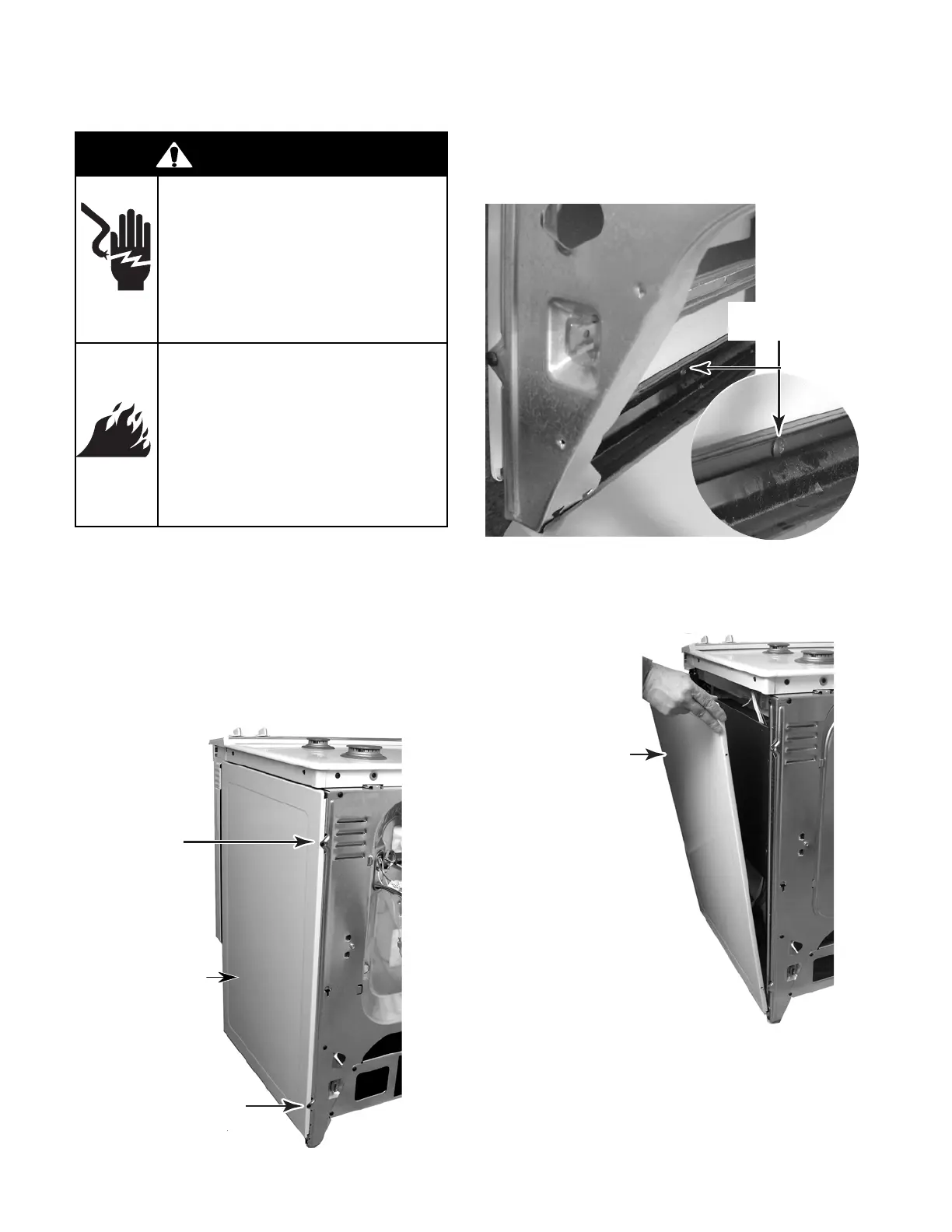
REMOVING A SIDE PANEL
1. Turn off gas supply and disconnect power
to the range.
2. Pull the range out of its mounting location
so that you can access the rear of the unit.
3. Pull the storage drawer out as far as it will
go.
4. Remove the two rear screws from the side
panel.
Screw
Screw
5. From the rear of the unit, reach inside and
remove the screw from the bottom of the
side panel.
6. Slide the side panel forward and unhook
the front edge, then tilt the top of the side
panel out, and lift the panel from the unit.
Slide Forward & Tilt
Top Of Panel Out
Remove Bottom
Side Panel Screw
NOTE: When reinstalling the side panel, set
the bottom edge on the rail, hook the front edge
at the top and bottom, and install the two rear
screws; then install the bottom screw from
inside the rear of the unit.
Side Panel
WARNING
Electrical Shock Hazard
Disconnect power before
servicing.
Replace all parts and panels
before operating.
Failure to do so can result in
death or electrical shock.
Fire Hazard
Shut off gas supply line valve
before servicing.
Check all gas line connec-
tions and replace all parts
and panels before operating.
Failure to do so can result in
explosion, fire or other injury.



 To Next Page