4-23
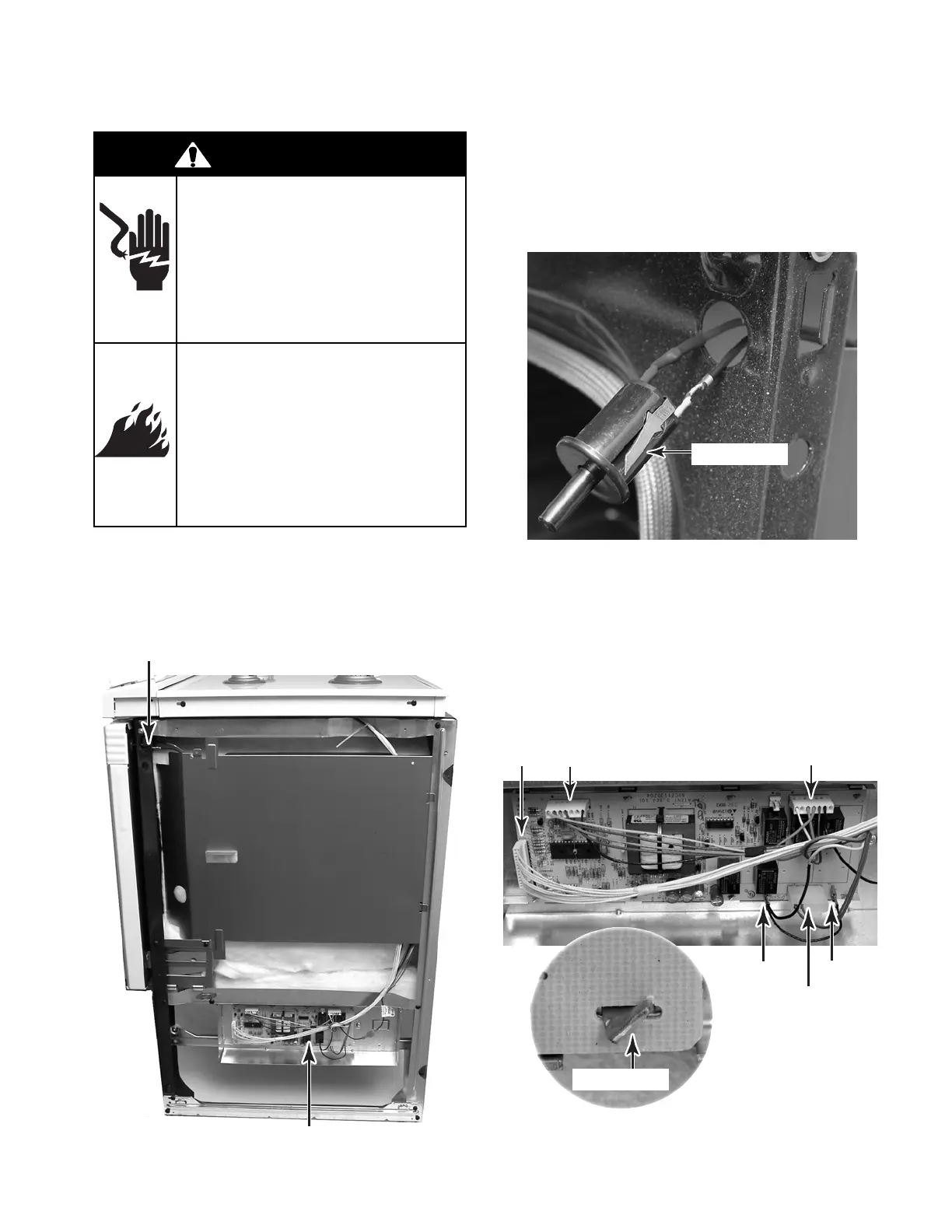
3. To remove the door switch:
a) Press in on the locking arms and push
the door switch out of the unit.
b) Disconnect the wires from the termi-
nals.
Door Switch
REMOVING THE DOOR SWITCH & POWER SUPPLY BOARD
1. Turn off gas supply and disconnect power
to the range.
2. Remove the right side panel (see page 4-22
for the procedure).
Door Switch
4. To remove the power supply board:
a) Disconnect the connectors from P9,
P5, P1 ,P6, P7, and the connector with
two wires for terminals P2 and P8.
b) Twist and straighten the tabs on the
power supply bracket until they align
with the board slots, and remove the
board from the bracket.
P5
P9
P1
P6P7
Connector W/2 Wires
Twist Tabs
WARNING
Electrical Shock Hazard
Disconnect power before
servicing.
Replace all parts and panels
before operating.
Failure to do so can result in
death or electrical shock.
Fire Hazard
Shut off gas supply line valve
before servicing.
Check all gas line connec-
tions and replace all parts
and panels before operating.
Failure to do so can result in
explosion, fire or other injury.
Power Supply Board



 To Next Page