EasyManua.ls Logo

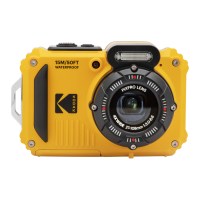
Kodak PIXPRO WPZ2 - User Manual

Kodak PIXPRO WPZ2
110 pages
Print Icon
To Next Page IconTo Next Page
Loading...
User Manual
DIGITAL CAMERA
KODAK PIXPRO WPZ2

Table of Contents

Questions and Answers

  • A
    Angela DavisAug 13, 2025
    How to fix Kodak PIXPRO WPZ2 that does not turn on?
    • T
      Thomas MedinaAug 13, 2025
      If your Kodak Digital Camera is not turning on, the battery may be depleted or not correctly installed. Replace the battery or correctly reinstall it.
  • M
    Mark KellyAug 17, 2025
    What to do if images and video files cannot be saved on Kodak PIXPRO WPZ2?
    • M
      Mitchell GillAug 17, 2025
      If your Kodak Digital Camera images and video files cannot be saved, it may be due to a full or locked memory card. Try using another memory card or delete unnecessary files. Alternatively, ensure that the memory card is unlocked.
  • K
    Kayla RossAug 21, 2025
    Why does my Kodak PIXPRO WPZ2 turn off suddenly?
    • P
      Patricia RiveraAug 21, 2025
      If your Kodak Digital Camera turns off suddenly during operation, the battery may be depleted. Replace the battery or charge it. Also, ensure the camera is not entering Power Save Mode, where the LCD turns off after a period of inactivity.
  • N
    Nicholas BrownAug 25, 2025
    How to fix blurred pictures on Kodak PIXPRO WPZ2 Digital Camera?
    • L
      Leslie ClarkAug 25, 2025
      If you find that your Kodak Digital Camera pictures are blurred, it could be due to camera movement while taking the picture. Turn on the OIS (Optical Image Stabilization) feature to help stabilize the image.
  • P
    Paul LopezAug 29, 2025
    What to do if images will not print from Kodak Digital Camera?
    • D
      Daniel CabreraAug 29, 2025
      If your Kodak Digital Camera images will not print from the connected printer, check the connection between the camera and printer. Ensure that you are using a PICTBRIDGE™ compatible printer. Also, make sure the printer has paper and ink, and that there is no paper jammed in the printer.
  • B
    bcoxSep 1, 2025
    Why is saving data to memory card slow on Kodak PIXPRO WPZ2 Digital Camera?
    • J
      Jeffery MoralesSep 1, 2025
      If saving data to the memory card on your Kodak Digital Camera is slow, it might be due to using a memory card below Class 4. To improve performance, use a memory card with Class 4 or higher.
  • S
    sjohnsonSep 5, 2025
    What to do if Kodak PIXPRO WPZ2 has too many movies to process?
    • A
      Antonio SheaSep 5, 2025
      If your Kodak Digital Camera has too many movies to process, it is because the number of pictures or folders in the memory card exceed the specifications, so the playback cannot be displayed. Delete unwanted files to resolve this issue.
  • W
    William AlexanderSep 9, 2025
    Why does the flash flash on the LCD screen of my Kodak Digital Camera?
    • J
      Jaclyn HarmonSep 9, 2025
      If the flash flashes on the LCD screen of your Kodak Digital Camera, it indicates that the current shooting environment requires flash. Turn on the flash to resolve this.

Summary

BEFORE YOU START

For Customers in Europe

For Customers in the U.S.A.

SAFETY NOTES

Camera Safety Precautions

Battery Safety Notes

Memory Card Safety Notes

Additional Safety Notes

GETTING STARTED

Installing Battery and Memory Card

Charging the Battery

How to Take Pictures

Setting Language and Date;Time

MODE OVERVIEW

Shooting Mode Overview

Overview of available shooting modes like Auto, Program AE, Manual, etc.

Auto Mode Operation

Wi-Fi Mode

AP Mode Connection

How the camera acts as an access point for device connection.

BASIC OPERATION

Using the Zoom Function

How to use optical and digital zoom for framing shots.

EV Setting

Exposure Compensation

How to adjust picture brightness using EV values.

PLAYBACK

USING THE MENUS

Photo Setup Menu

Accessing and configuring photo shooting settings.

Photo Shooting Settings Menu

Movie Menu

Movie Setting Menu

Playback Menu

Playback Setting Menu

Setup Menu

SD Card and Firmware

CONNECTIONS

Connecting to a Computer

How to connect the camera to a PC for file transfer.

APPENDICES

Camera Specifications

Technical details of the camera's hardware and features.

Prompts and Warning Messages

Troubleshooting Guide

Kodak PIXPRO WPZ2 Specifications

General IconGeneral
Megapixel16.76 MP
Camera typeCompact camera
Sensor typeBSI CMOS
Image stabilizerYes
Image sensor size1/2.3 \
Image formats supportedEXIF, JPEG
Maximum image resolution4608 x 3456 pixels
Still image resolution(s)(4:3) 16MP: 4608x3456, 10MP: 3648x2736, 5MP: 2592x1944, 3MP: 2048x1536, 0.3MP: 640x480, (3:2) 14MP: 4608x3072, (16:9) 12MP: 4608x2592, 2MP: 1920x1080
Digital zoom6 x
Optical zoom4 x
Combined zoom24 x
Focal length range4.9 - 19.6 mm
Lens structure (elements/groups)7/7
Maximum focal length (35mm film equiv)108 mm
Minimum focal length (35mm film equiv)27 mm
Fastest camera shutter speed1/2000 s
Slowest camera shutter speed4 s
Flash modesAuto, Fill-in, Forced off, Red-eye reduction, Slow synchronization
Flash range (tele)1 - 2.4 m
Flash range (wide)0.3 - 5.2 m
Flash recharging time6 s
Memory slots1
Internal memory8 MB
Compatible memory cardsMicroSD (TransFlash), MicroSDHC
Maximum memory card size32 GB
PictBridge-
USB version2.0
USB connectorMicro-USB
Wi-Fi standards802.11b, 802.11g, Wi-Fi 4 (802.11n)
Operating temperature (T-T)-10 - 40 °C
Operating relative humidity (H-H)0 - 90 %
Battery typeLB-015
Battery voltage3.7 V
Battery capacity700 mAh
Product colorBlue
Waterproof up to15 m
White balanceAuto, Cloudy, Daylight, Fluorescent, Incandescent, Manual, Underwater
Shooting modesAuto, Movie
Self-timer delay- s
Display diagonal2.7 \
Light meteringCentre-weighted, Spot
ISO sensitivity100, 200, 400, 800, 1600, 3200
ISO sensitivity (max)3200
ISO sensitivity (min)100
Light exposure controlProgram AE
Light exposure correction± 3EV (1/3EV step)
FocusTTL
Focus adjustmentAuto
Auto focusing (AF) modesMulti Point Auto Focus, Single Auto Focus
Normal focusing range (tele)1 — ∞ m
Normal focusing range (wide)0.6 — ∞ m
Video resolutions640 x 480, 1280 x 720, 1920 x 1080 pixels
Video formats supportedH.264, MOV
Maximum video resolution1920 x 1080 pixels
Weight and Dimensions IconWeight and Dimensions
Depth52.4 mm
Width103.2 mm
Height66.7 mm
Weight176 g

Related product manuals