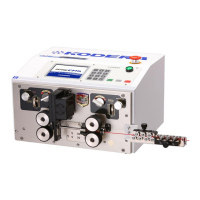
《Short Mode》 setting. Select 《Short Mode》 on the 《Basics》 screen(P.13-⑤).
The left roller be sure to use UP status.
If some processed wires accumulate on the left roller, remove the left roller for processing.
①《Front Strip Length》:Setting of the stripping length of the front side
insulation of the wire.
②《Front Half Strip Length》:Setting of the half stripping length of front
side of the wire.
③《Total Length》:Setting of the cutting length of the wire.
④《Rear Strip Length》:Setting of the stripping length of the rear side
insulation of the wire.
⑤《Rear Half Strip Length》:Setting of the half stripping length of rear
side of the wire.
Explanation of motions about the 《short mode》. (In case of the sizes above)
ONE POINT: When adherence of core wire and insulation is strong, processing may not be
performed just like setting. If use short length wire processing, it is possible to perform half-
stripping, but the state of the half-stripping might be different from the one which you have
expected. Please change the settings flexibly based on the processed wire materials.
If the remaining length of wire insulation is shorter than 29.9 mm, be sure to use 《Short mode》.
Strip “5mm” which is sum of “Front side 3mm”and
“rear side 2mm”.
Insert the blade at the position where
“Total Length is 20mm”.
Move the insulation by 2mm for “rear side”.
In many cases, it may not move just like setting
caused by the adherence of insulation.


 To Next Page