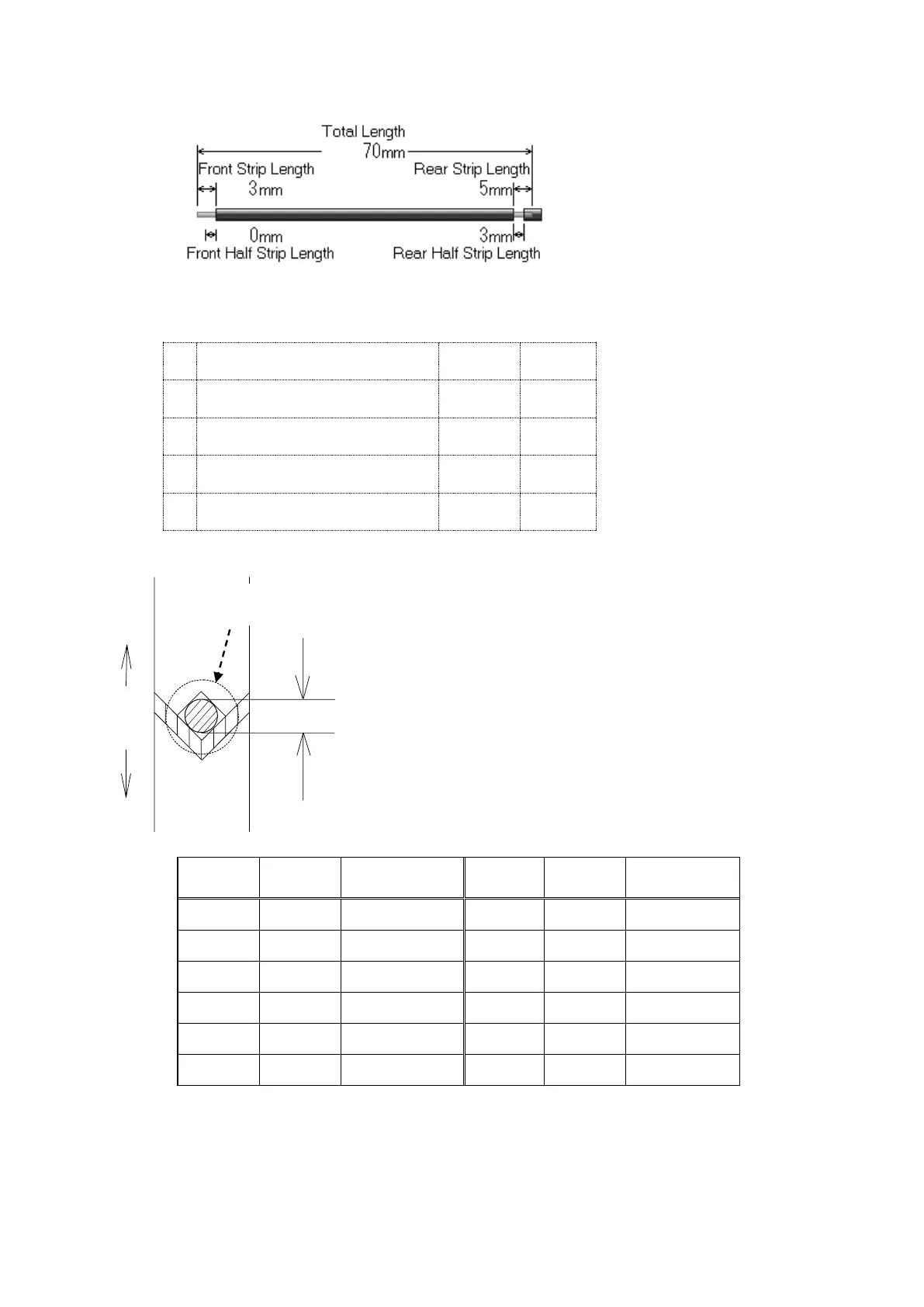
How to set up the processing conditions
1.As a sample, input the processing condition to create the wire shown above.
Input
2.Setting of the blade’s depth when stripping
If the wire AWG/sq is known, approximate figure can
input automatically.
Call that figure from 《AWG/sq》in the 《Basic》screen.
(Reference P.9-⑯) Or, input the processing wire core
diameter into 《Core Diameter》 according to the figure
below. At first, try to produce a few wires as a trial
(Reference P.12 《Easy sample creation function》)
If the core wire is scratched, increase the numerical
value and if it’s not stripped, decrease the numerical
value to select the appropriate value.
The value can be input in a unit of 0.01mm.
・This is a rough indication because even if the number is same, the numerical value of the
《Core Diameter》 may be different depending on the type of the wire to be processed.


 To Next Page