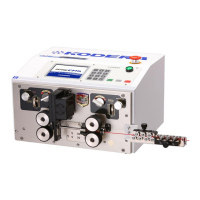
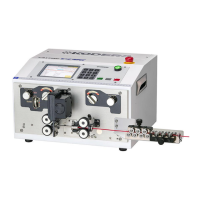
5.Setting the wire. (Material wire will be fed from Right to Left.)
From here, there are two procedures A and B. Both procedures are correct, please choose the one
easier for you.
【Procedure A】
①Keep the right side UP/DOWN knob to the U (UP) position (roller UP position).
②Manually insert the wire by right hand from the straightener roller, the right side wire guide,
between right side above and below rollers, and guide pipe.
And go through the wire until 5mm left of the blades (too much insertion will be a cause for
an error), and next the right side roller down by UP/DOWN knob.
【Procedure B : Automatic feeding and processing start】: P.9-⑮《Wire Sensor》 please turns on.
① After adjusting the left side roller gap, make the both right and left side rollers down D (D
position) ( Rollers are down position).
②Goes the wire through straightener by right hand, hold the processing wire in front of right
wire guide with right hand.
ONE POINT: Make sure that the left roller is closed in both procedures A and B.
If you process the wire with the rollers open, the wire will not be processed
and this may cause trouble.
③Push the [START] key, the production will begin.
In case of procedure A, the process starts immediately.
In case of procedure B, the roller will turn and please insert the material wire from right
wire guide to roller. Once the material wire will send to the left roller and return the wire to
the blade position, and then processing will start.
In case of procedure B, the roller will turn and please insert the material wire from right
wire guide to roller. Once the material wire will be fed until the left roller automatically,
after that return the wire to the blade position and processing will start.
CAUTION: Once the process begins, release your hands from the material wire.
CAUTION: Keep your hands away from the rotating rollers and blades during operation.
6.Please check the total length of processed wire, stripped length, and core wire
scratches.
If there are no problems, change each setting value arbitrarily and start production.
If you have any processing problems, please refer to 「Trouble shooting」 on P.28.
《Easy sample creation function》 (Trial production)
Push the [START] key while push [STOP]key.
Create 「total length 60mm, both ends stripping 3mm」with the current blade settings.
(If the material wire feed and gap adjustment are set correctly, the above processing wire
will be ejected.)
The setting is completed immediately by checking the condition of the core wire, adjusting
the blade settings, and then resetting the overall length.


 To Next Page