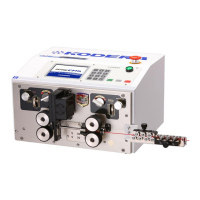
《Motion》 Setting Screen.
From any screen. If 《Motion》 is touched, this screen will be displayed.
①《Motion》:《Short Mode》《Divide Strip》《Front Special Strip》《Double Strip》 These will light
up in blue when the setting is not active. If the 《Motion》 lights up in orange, it
means one of above ⑤~⑥ functions are active.
②《Marker》:This key is set when marker which marks on the wire is attached. If it won’t be
used the setting, set it disable. (See P.21) If the 《Marker》 lights up in orange, it
means one of 《Marker》 settings are active.
③《Slitter》:Setting when using optional CSL-501(Slitter). If it won’t be used the setting, set it
disable. ( See CSL-501 Instruction)
④《CASY-637A》:This key is set when optional CASY-637A(twisting machine) is attached.
(See CASY-637A Instruction Manual)If the 《CASY637A》 lights up in orange,
it means one of 《CASY637A》 settings are valid.
⑤《Short Mode》:This key is used for special short length production. This key is set whenL-
(a+b)≦29.9mm or the remaining insulation is less than 29.9mm on the
picture below.( See P.16 Instruction)
⑥《Divide Strip》:When stripping can not be performed because of the strong adherance of
the core wire or long stripping, it is done by dividing. 《Basics》screen
changes to 《Divide Strip》.(See P.16)
⑦《Front End Special Strip》: When the front end full strip is setting, this function grips the
insulation with the left roller and strip that.
Once, it performs half strip processing, grips the insulation with
left roller and strips that, and makes sure to eject the processing
This is called 《Short Mode》. If you use this mode for productions that the length of the
remaining insulation strip is less than 29.9mm, you need to enable 《Short Mode》, as it
will not change automatically.


 To Next Page