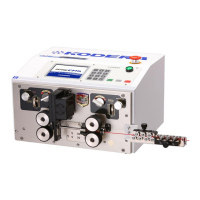
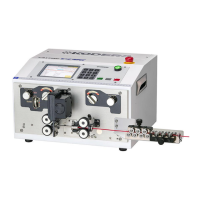
1) Automatic wire feed
processing does not start.
The material wire isn't
fed.
It starts processing as
soon as it starts.
Wire is constantly being
fed, but processing will
not start.
Isn’t it 《Short Mode》?
Are the right and left side
roller under the condition of
UP?
Isn’t the left side roller gap too
narrow and the Sensor signal
LED remains lit?
Is 《Wire Sensor》 disabled?
Isn’t the left side roller gap too
wide?(Wire isn’t detected.)
Clear the 《Short Mode》.
(See P.13-⑤)
Make the both roller up knobs DOWN.
(Close the rollers)
Adjust the left side roller gap.
(Widen it. See P.11-④)
Enable 《Wire Sensor》.
Adjust the left side roller gap.
Narrow it.
(See P.11-④)
2)Only front end is not
stripped or only front
end is not even.
Isn’t the 《Core Diameter》 or
《Blade Move Back》 too
large?
Isn’t the pressure on the
right side weak, and isn't
the roller slipping during
stripping?
Isn’t 《Front End Core
Diameter》 enable?
Isn’t right side roller worn or
slipping?
Make 《Core Diameter》 or 《Blade Move
Back》 smaller to the point where it
becomes proper.
If rear end strip don’t have any
problem, reference P.14-⑧ and make
《Core Diameter》 or 《Blade Move
Back》 smaller only front end.
Strengthen the pressure of right side
roller. (See P.25-⑦)
Or replace the roller to higher grip
one.
If settings for《Front End Core
Diameter ・ Front End Blade Move
Back》 are extremely different from
《Core Diameter ・Blade Move Back》
basic screen, only front end will be cut
or scratched.
If the roller has grooves, replace it
with a new roller.


 To Next Page