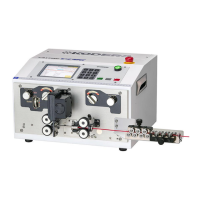
5.Setting the wire.
A:Keep the UP/DOWN knob of the right side roller UP position.
B:Manually insert the wire from the right side wire guide, right side roller, guide pipe and a bit
left side of the blades (too much insertion will be a cause for an error), and put the right side
roller down.
C:Or after adjusting the left side roller gap, make the both right and left side rollers down
(
D
) position. And bearing the wire to be processed with your hand, press the [START] key.
D:The roller begins to rotate. Send along the wire from the right side wire guide to the roller at
once.
E:After that, the wire will be fed automatically and the processing begins.
However, when 《Wire Sensor》 is OFF or at 《short mode》, the processing can’t be done.
Caution:Make sure that the left side roller is closed.
The wire can’t be discharged and it will cause a trouble.
6.The preparation has been completed now.
The wire will be processed if the [START] button is pressed.
Check the processed wires, and if these are acceptable, set the number of pieces again to start
the regular processing.


 To Next Page