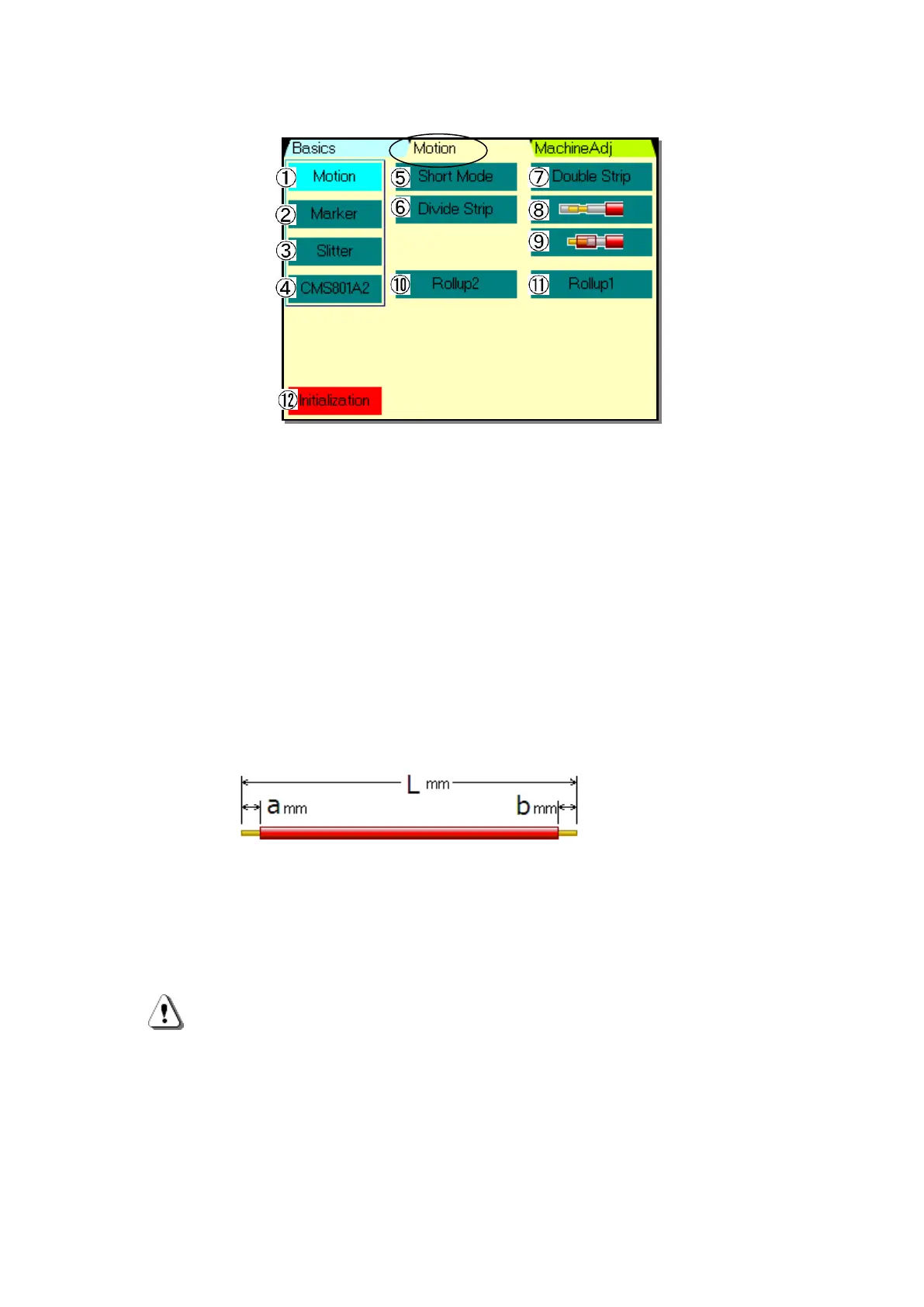
《Motion》 Screen
From any screen , if 《Motion》 is touched, this screen will be displayed.
①《Motion》:It will light up when the setting is that optional extras are not equipped.
②《Marker》:This key is set when marker which marks on the wire is attached.
(See P.18)
③《Slitter》:Setting when using optional CSL-501(Slitter). (See CSL-501 Instruction)
④《CMS801A2》:It is setting when I use optional CMS-801A2( middle striptease machine).
(See CMS-801A2 Instruction Manual)
・Standard Processing:When none of following ⑤~⑨ are set. (See P.6)
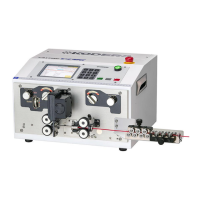
⑤《Short Mode》:This key is set when L-(a+b)≦47.9mm or the remaining insulation is
or less than 47.9mm on the picture below.
《Basics》screen changes to 《Short Mode》.(See P.13)
⑥《Divide Strip》:When stripping can not be performed because of the strong adherance of
the core wire or long stripping, it is done by dividing. 《Basics》screen
changes to 《Divide Strip》.(See P.17)
⑦《Double Strip》: When double stripping is done. 《Basics》 screen changes to
《Double Strip》.(See P.15)
:Short Mode and Double Strip are application of Semi-strip processing.
When adherence of core wire and insulation is strong, processing may not
be performed just like setting.
⑧It is set when half stripping processing of the wire which is doubly insulated is
performed at sheath strip. 《Basics》 screen changed to 《Sheath Strip》. (See P.16)
⑨It is set when half stripping processing of the outside insulation of the wire which is
doubly insulated at sheath strip of the doubly insulated wire.
《Basics》 screen changes to the 《Sheath Strip》.(See P.17)


 To Next Page