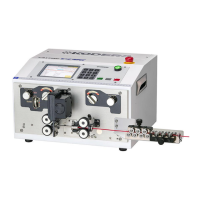
《Motion》 screen at 《Marker》
Select《marker》on the 《Motion》screen (P.11).
Set these functions when you use marker.
On the above screen, all of the items in marker are displayed to explain.
Depending on the setting, items to be displayed change.
①《Both Ends Marking/Equally-Spaced Marking》:Setting how to mark on the wire which
is finished.
Both Ends Marking:To mark both ends of a wire
Equally-Spaced Marking:To mark on a wire more than once at even
intervals.
None of them is select, it does not mark.
②《Number of Specified/None Specified》《Simultaneous Marking/Asynchronous Marking 》:
When 《 Both Ends Marking 》 has been selected, 《 Simultaneous Marking
/Asynchronous Marking》 is displayed.
When 《Equally-Spaced Marking》 has been selected, display is changed to
《Number of Specified/None Specified》.
Simultaneous Marking : Marking of the front and rear end is performed
simultaneously with a marking head.
Asynchronous Marking : Marking of the front and rear end is performed
asynchronously with a marking head.
Number of Specified:it marks on a wire specified times at ⑦ at even intervals.
None Specified:It marks on a wire by specified interval at ⑧.
③《Front Print Point》:Setting point to print at the front side.(distance from the terminal
of the front side of the wire)
④《Output Time》:Input the output time of the sign to the marker.
⑤《Marking Point》:Input the distance from “the V blade of the C371A” to “the center of
the marker head”.
⑥《Stamp/Inkjet》:Select the type of the marker to use.


 To Next Page