TP-6835 9/17 53Section 7 Bypass, Isolation, and Manual Transfer
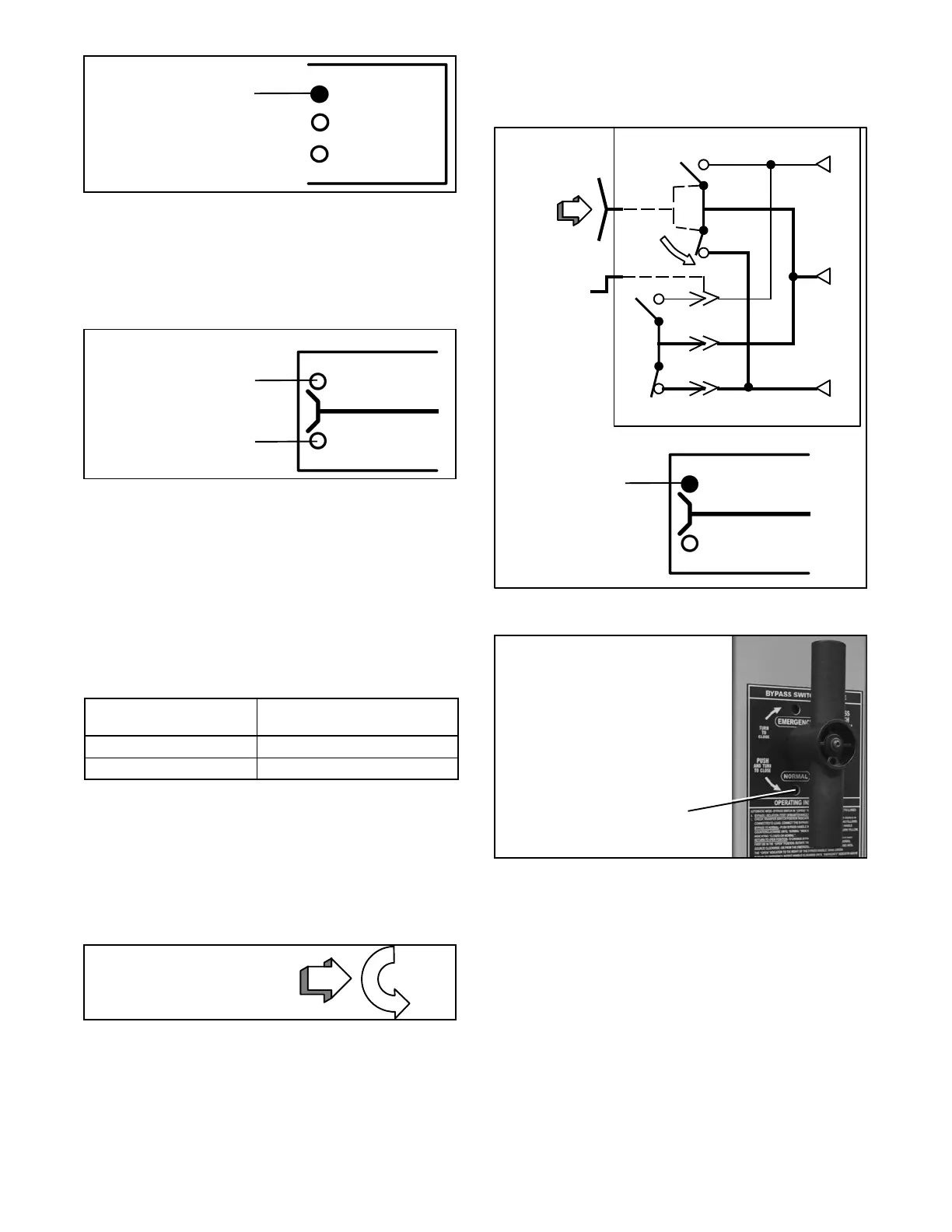
TS CONNECTED
Upper amber light
should be on.
TS TEST
TS ISOLA TED
Figure 7-8 Status Lights for Transfer Switch
Isolation Contact Position
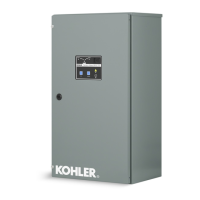
1. Observe which Transfer Switch Connected To light
is on (Normal or Emergency) on the door. This is
the position of the transfer switch. See Figure 7-9.
TRANSFER SWITCH
CONNECTED TO NORMAL
CONNECTED TO EMERGENCY
Lower red light is on if
Transfer Switch is on
Emergency.
Upper green light is on if
Transfer Switch is on
Normal.
Figure 7-9 Status Lights for Transfer Switch Main
Contact Position
2. Use the following procedures to bypass to the
same source as connected to the transfer switch
(select Normal or Emergency).
Figure 7-10 shows allowable positions of the bypass
switch in relation to positions of the transfer switch (with
isolation handle in the Conn [connected] position and TS
Connected light on).
Transfer Switch
Position
Bypass Switch
can be in either
Normal Open or Normal
Emergency Open or Emergency
Figure 7-10 Allowable Bypass Switch Position
Procedure to Bypass to Normal Source
(connect load to normal source)
The Transfer Switch Connected To Normal light is on.
The Transfer Switch Connected To Emergency light is
off.
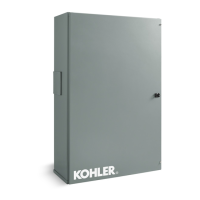
Push the bypass handle in
and turn it counterclockwise.
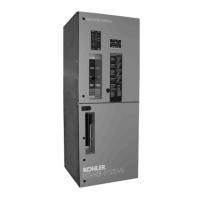
Push the bypass handle all the way in, then turn it
counterclockwise until Bypass Switch Position shows
closed on NORMAL (yellow window indicator). The
green Bypassed to Normal light will come on and the
amber Not In Automatic light will flash. See Figure 7-11
and Figure 7-12.
The automatic transfer switch can now be put in the
TEST or OPEN position. See Section 7.2.2, Isolating
the Transfer Switch.
E
L
N
Push in
Bypass
Handle and
turn it
counter-
clockwise.
ATS
Bypass Switch
BYPASS SWITCH
BYPASSED TO
NORMAL
BYPASSED TO
EMERGENCY
Upper green
light comes on
Figure 7-11 Bypass to Normal Diagram
Lower window indicator
NORMAL shows yellow
Figure 7-12 Status Light and Window Indicator for
Bypassed to Normal Source



 To Next Page