TP-6835 9/1774 Section 7 Bypass, Isolation, and Manual Transfer
E
L
N
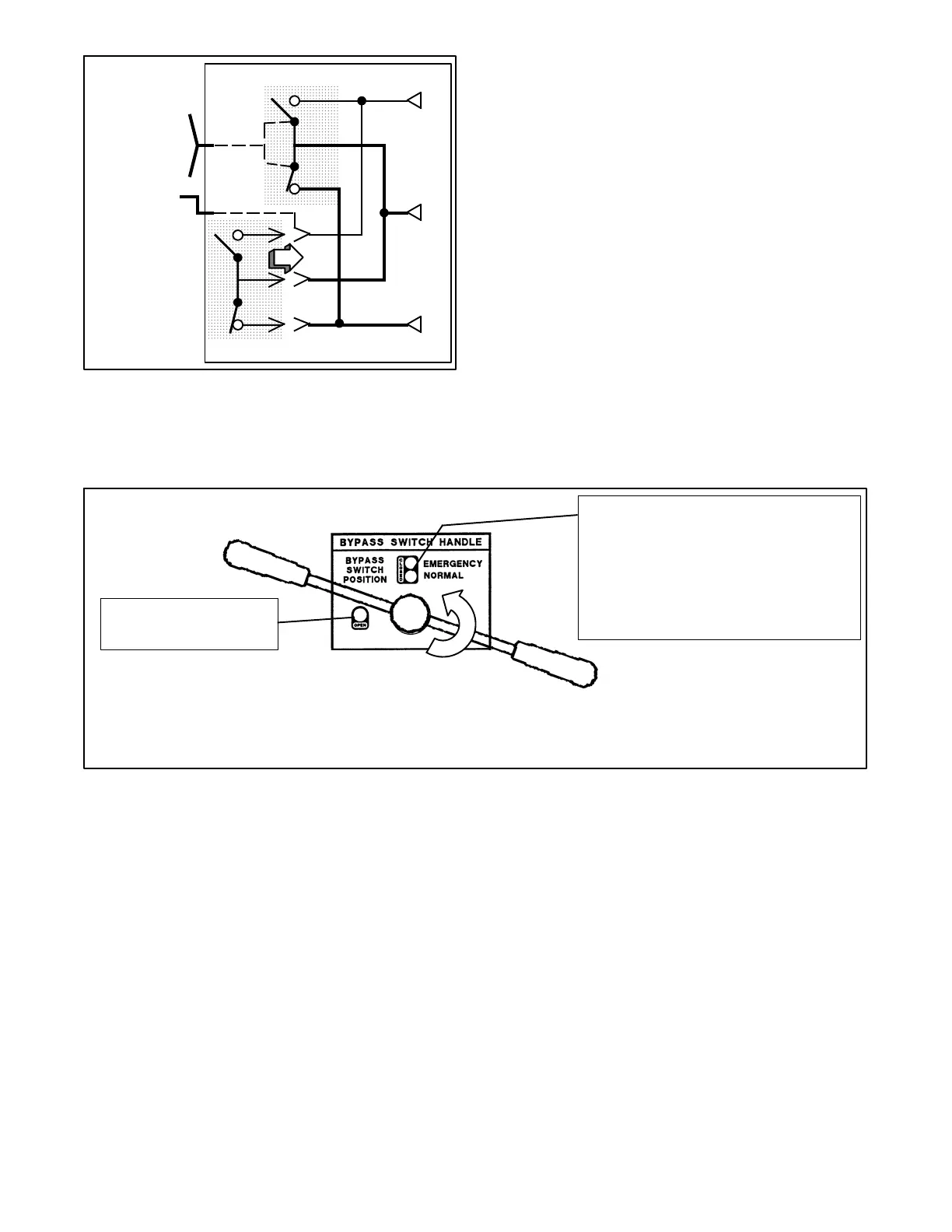
Turn crank
clockwise until
window shows
CONN
(connected).
ATS
Bypass Switch
Figure 7-62 Moving from TEST to CONNECTED
Position
Now continue with the next instructions to return the
bypass handle to the OPEN position.
Opening the Bypass Contacts
This procedure e xplains how to return the bypass switch
handle to the OPEN position, which opens the bypass
contacts so that the ATS controls the connections to the
sources and the load.
1. Verify that the bypass handle is in the CLOSED
position (yellow indicator on NORMAL or
EMERGENCY) and the isolation handle is in the
CONN position (window) before proceeding. If the
handles are not in these positions, go back to
Section 7.4.4, Return To Operation.
2. Observe which bypass switch position indicator is
yellow (NORMAL or EMERGENCY) at the bypass
switch handle. This indicates the source
connected to the load.
Note: Solenoid interlocks prevent moving the
bypass handle in the wrong direction. Do
not force the bypass handle.
To open the Bypass to Normal (Source N) contacts, push in the handle all the way and turn it counterclockwise.
To open the Bypass to Emergency (Source E) contacts, pull out the handle all the way and turn it counterclockwise.
The OPEN indicator is
green when the ATS is
NOT bypassed.
The EMERGENCY (or SOURCE E)
CLOSED indicator is yellow when the ATS
is bypassed to the Emergency source (or
Source E).
The NORMAL (or Source N) CLOSED
indicator is yellow when the ATS is
bypassed to the Normal Source (or
Source N).
Figure 7-63 Bypass Handle and Position Indicators



 To Next Page