Payload Meter III - Section 60 OM6009 8/11
Page 60-18
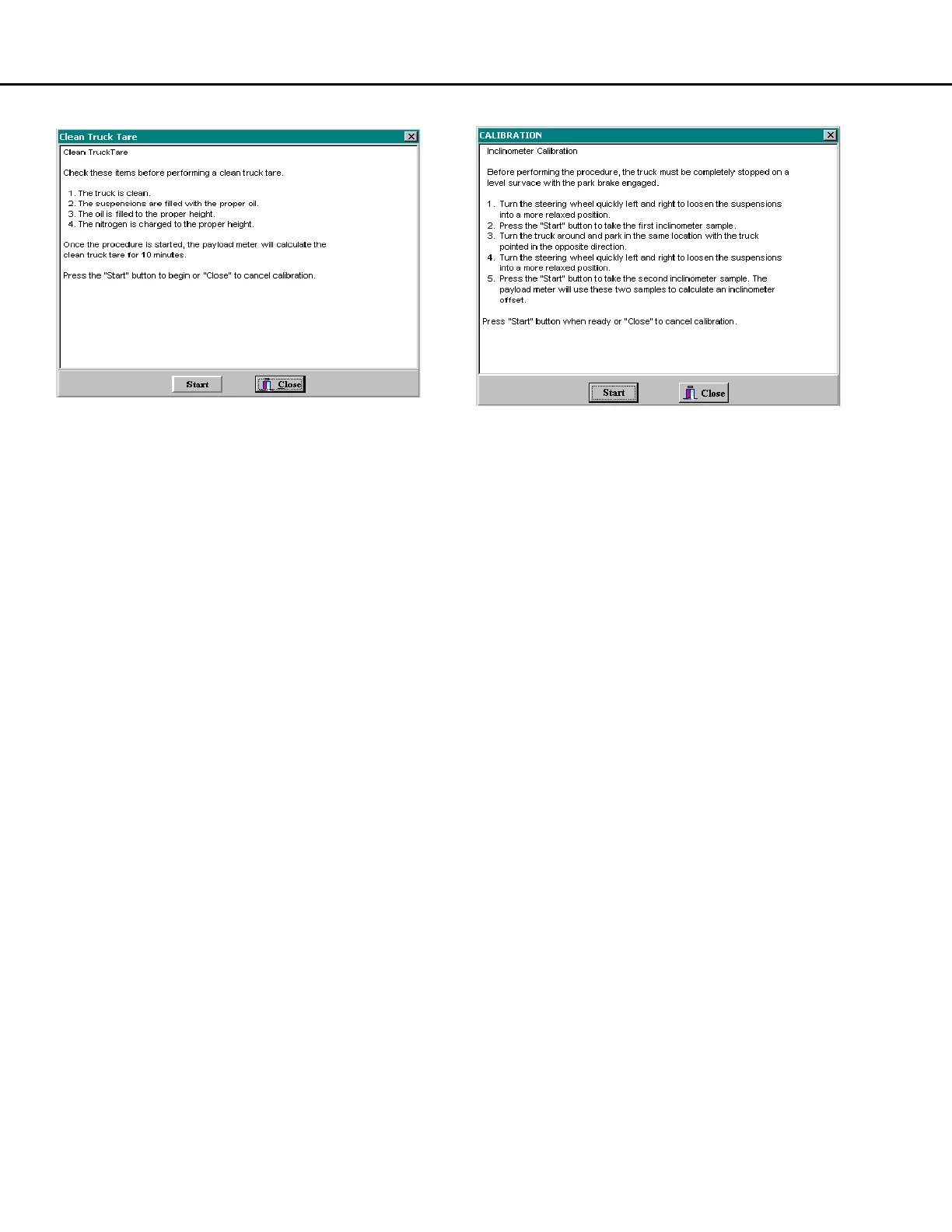
Clean Truck Tare
The payload meter uses the clean truck tare value to
calculate carry-back load for each haul cycle. The
carry-back stored in the haul cycle record is the new
empty tare minus the clean truck tare.
This procedure should be performed after service to
the suspensions or when significant changes are
made to the sprung weight of the truck. Before
performing this procedure, make sure that the
suspensions are properly filled with oil and charged.
It is critical to payload measurement that the proper
oil height and gas pressure be used.
Once the clean tare process is started, the payload
meter will begin to calculate the clean empty sprung
weight of the truck. This calculation continues while
the truck drives to the next loading site. Once the
procedure is started, there is no reason to continue
to monitor the process with the PC. The truck does
not need to be moving to start this procedure.
1. After cleaning debris from the truck and
checking to see that the suspensions are
properly serviced, use the PDM software to
connect to the payload meter.
2. From the Truck Configuration screen, select
"Clean Truck Tare".
3. Follow the on-screen instructions.
Inclinometer Calibration
The inclinometer calibration procedure is designed to
compensate for variations in the mounting attitude of
the inclinometer. The inclinometer input is critical to
the payload calculation.
This procedure should be performed on relatively flat
ground. The maintenance area is often an ideal
location for this procedure.
1. After cleaning debris from the truck and
checking to see that the suspensions are
properly serviced, use the PDM software to
connect to the payload meter.
2. From the Truck Configuration screen, select
"Inclinometer".
3. With the truck stopped and the brake lock on,
click on “Start”. This instructs the payload meter
to sample the inclinometer once.
4. Turn the truck around. Drive the truck around
and park in the exact same spot as before,
facing the other direction.
5. With the truck stopped and the brake lock on,
click on “Start”. This instructs the payload meter
to sample the inclinometer again. The payload
meter will average the two samples to
determine the average offset.
6. Follow the on-screen instructions.



 To Next Page