OM6009 8/11 Payload Meter III - Section 60
Page 60-19
DATA ANALYSIS
The data analysis tools allow the user to monitor the
performance of the payload systems across the fleet.
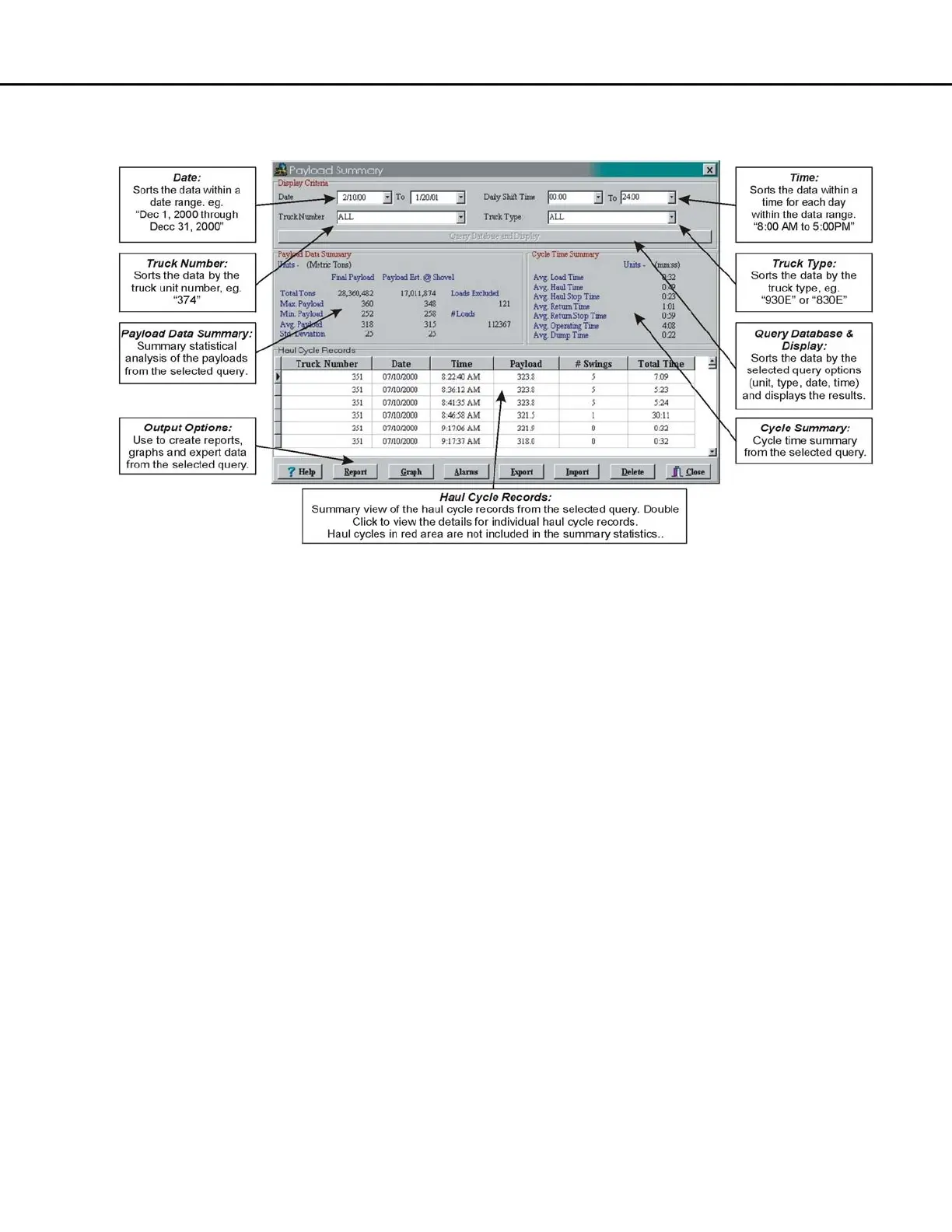
Analysis begins when the "View Payload Data"
button is selected. This starts an "all trucks, all dates,
all times" query of the database and displays the
results in the Payload Summary Form.
The user can change the query by changing the
dates, times, or trucks to include in the query for
display.
Haul cycles in the data grid box at the bottom can be
double-clicked to display the detailed results of that
haul.
Creating a Query
The program defaults to show all trucks, all types, all
dates and all times for the initial query. The display
can be narrowed by selecting which trucks or types
to view and for what dates and times.
The query items are added in the "AND" condition. If
the user selects a truck # and date range, the query
will sort the data for that truck number AND the date
range.
Sorting on Truck Unit Number
The truck unit number is the truck unit number
entered into the payload meter when it was
configured at installation. The query can be set to
look for all trucks or one particular truck number.
When the program begins, it searches through the
database for all the unique truck numbers and
creates a list to select from.
Choosing one particular truck number will limit the
data in the displays, summaries and reports to the
one selected truck. To create reports for truck
number 374, select “374” from the pull-down menu
and click on "Query Database and Display".
Sorting on Truck Type
The truck type is the size of the truck from the family
of Komatsu trucks. This allows the user to quickly
view results from different models of trucks on the
property. For example, separate reports can be
generated for 860E and 960E trucks.



 To Next Page