Payload Meter III - Section 60 OM6009 8/11
Page 60-24
.
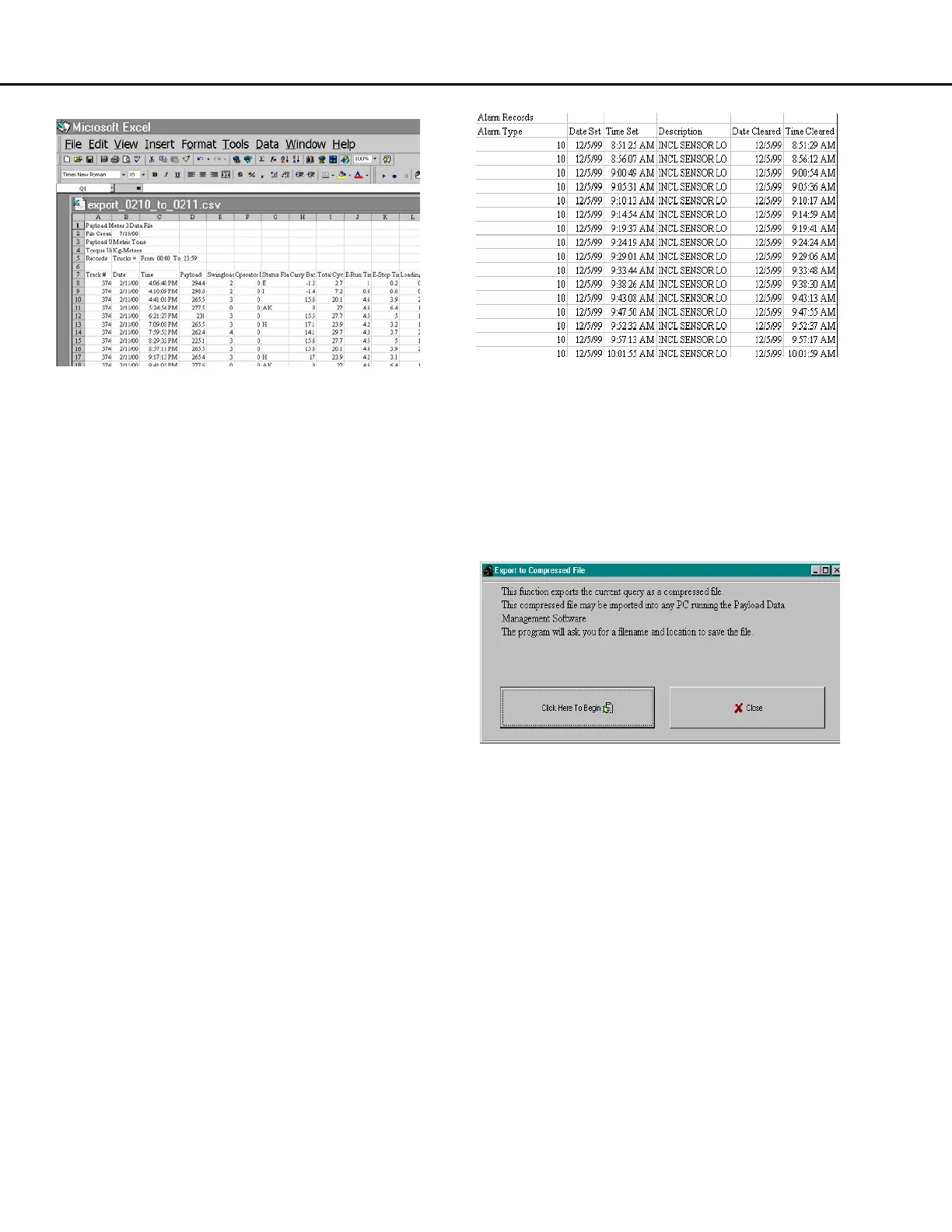
Two sets of data are exported. At the top of the file
will be the haul cycle data. The columns, from left to
right, are:
• Truck number
• Haul cycle start date
• Haul cycle start time
• Payload
• Swingloads
• Operator ID
• Warning Flags
• Carry Back
• Total Haul Cycle time
• Empty Running Time
• Empty stop time
• Loading time
• Loaded running time
• Loaded stopped time
• Dumping time
• Loading start time
• Dumping start time
• Loaded haul distance
• Empty haul distance
• Loaded maximum speed
• Time when loaded maximum speed occurred
• Empty maximum speed
• Time when loaded maximum speed occurred
• Maximum + frame torque
• Time when the maximum + frame torque
occurred
• Maximum - frame torque
• Time when the maximum - frame torque occurred
• Maximum sprung weight calculation
• Time when the maximum sprung weight
calculation occurred
• Left Front Tire-kilometer-hour
• Right Front Tire-kilometer-hour
• Average Rear Tire-kilometer-hour
• Frame serial number
• Reserved 1-5, 7-10: These values are internal
calculations used in the continued development
of PLMIII and should be ignored.
• Reserved 6: This value is the payload estimate at
the shovel just before the truck begins to move.
The second set of data below the haul cycle data is
the alarms. The alarm columns, left to right are:
• The alarm type
• The date the alarm was set
• The time the alarm was set
• Alarm description
• The date the alarm was cleared
• The time the alarm was cleared
ZIP format: This export function allows the data from
one laptop to be transferred to another computer.
This can be useful when a service laptop is used to
download multiple machines and transfer the data to
a central computer for analysis. This can also be
used to copy haul data from a particular truck onto a
disk for analysis.
The file format is a compressed binary form of the
displayed query. The file can only be imported by
another computer running the PDM software.
To export data in ZIP format:
1. Confirm that the data displayed is the query
data that needs to be exported.
2. From the payload summary screen, press the
"EXPORT" button and select "To ZIP".
3. The program will ask for a filename and
location.



 To Next Page