OVERVIEW
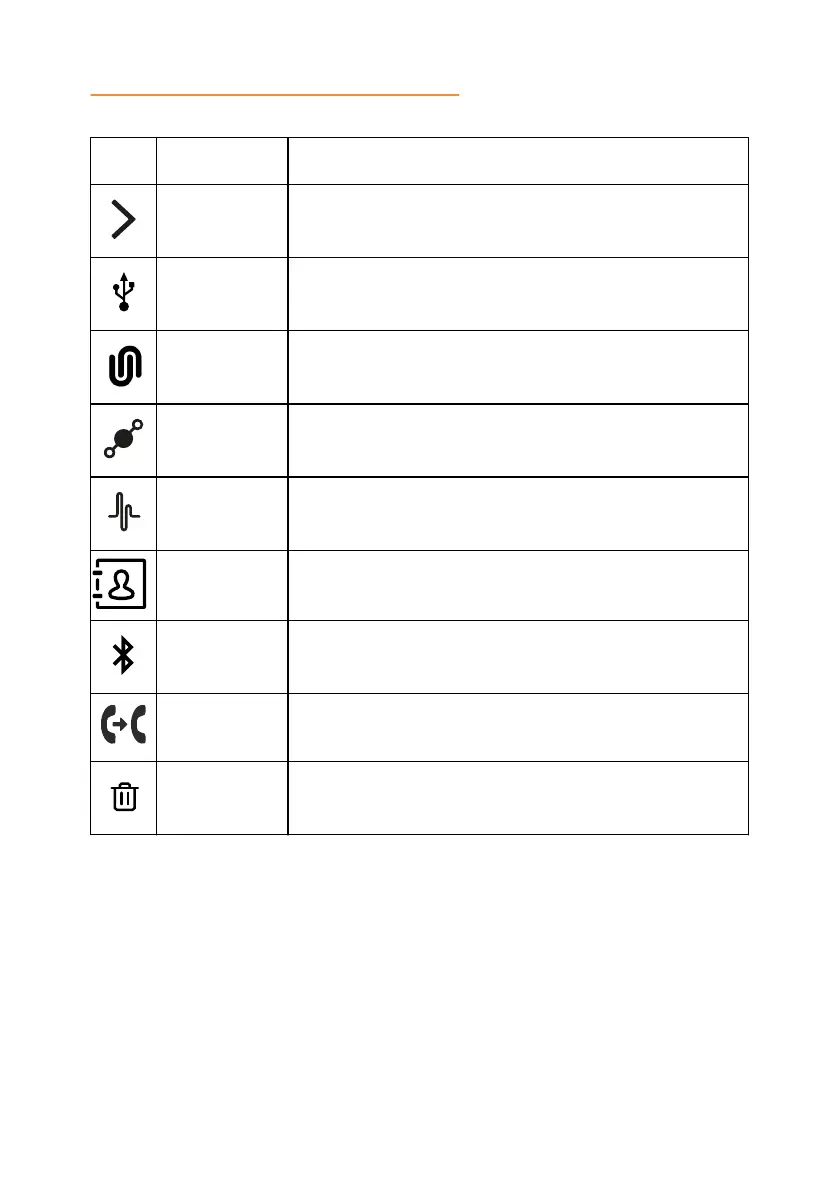
Icon Name Description
Arrow Right To move to subsections of a section.
USB
Connected
To indicate an active USB connection.
Konftel Unite
connected
To show the connection of the phone to Konftel Unite.
Daisy Chain
Mode
To indicate that the phone is in a daisy chain mode.
Loading To show that the phone is loading the new version of
the firmware.
Contacts To show that the LDAP external phone book is
available.
Bluetooth
connection
To indicate an active Bluetooth
®
Classic connection.
Call Transfer To show that it is possible to transfer an ongoing call to
another contact person.
Clear call
history
To clear all the call history in the call list.
LED STATUS INDICATORS
The LEDs on the phone indicate the status of a call, such as an incoming call, a
call on hold, or a call on mute, or the status of the phone. The LEDs emit bright
red, green, and blue colors that are visible over a distance to draw your attention
to the phone status as required.
You can also press the status indicator LEDs to mute and unmute the phone.
15



 To Next Page