43
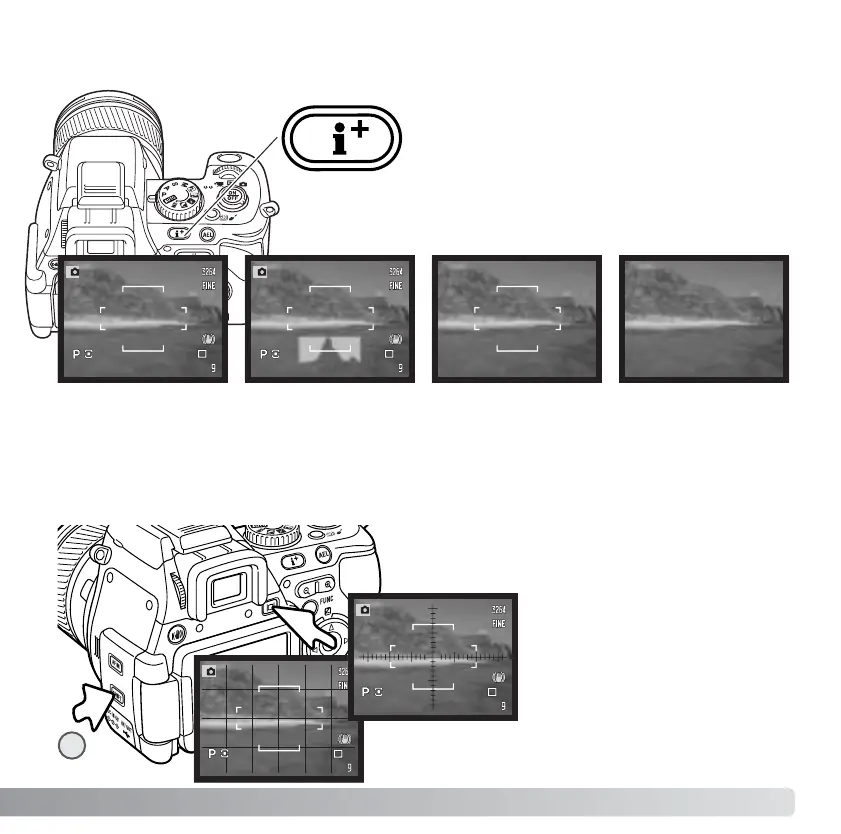
The display information button controls what
information is displayed with the live image.
Each time the button is pressed, the display
cycles to the next format: standard display,
real-time histogram, focus frame, and live
image only.
The real-time histogram shows the approximate luminance distribution of the live image.
This histogram will not be accurate when the monitor image is amplified (p. 32, 101), or
the built-in or a compatible flash unit (p. 91) is used. The histogram of a recorded image
may not show the same distribution as the real-time histogram.
DISPLAY INFORMATION BUTTON
Standard display Focus frame only Live image onlyReal-time histogram
Scale
Grid
To display a grid or scale over
the display formats, press and
hold the shift button (1) and
press the display information
button to cycle through the
options: grid, scale, and off.
1














 To Next Page