24
G
ETTING UP AND RUNNING
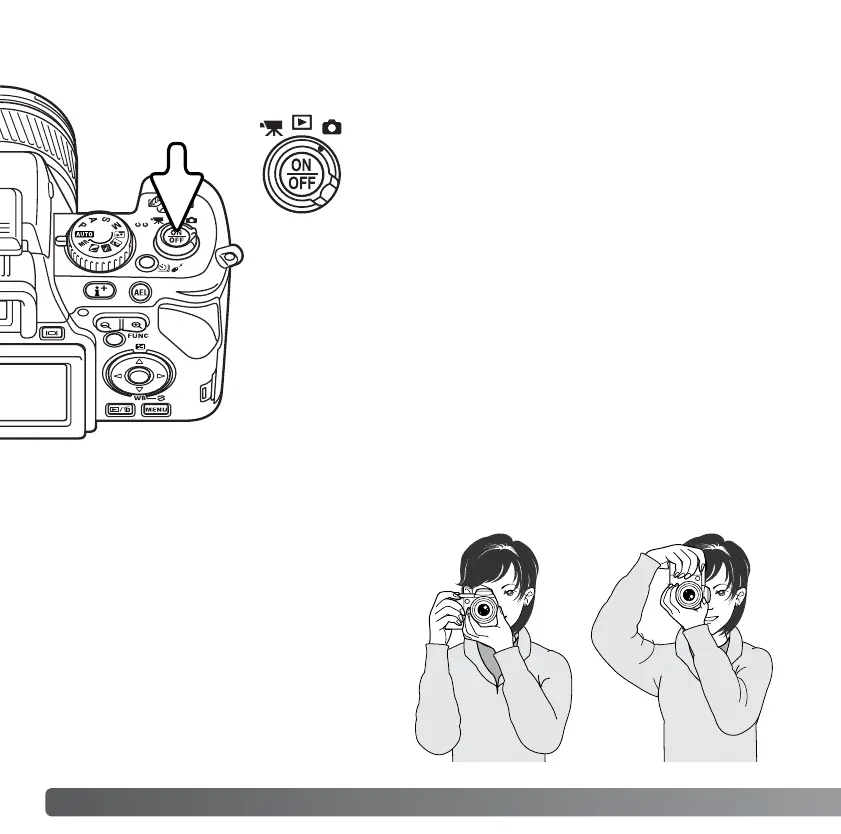
While using the electronic viewfinder
(EVF) or LCD monitor, grip the camera
firmly with your right hand while
supporting the body with the palm of your
left hand. Keep your elbows at your side
and your feet shoulder-width apart to
hold the camera steadily. See page 26
for LCD monitor setup.
HANDLING THE CAMERA
TURNING ON THE CAMERA
Press the main switch to turn on the camera. An
audio signal sounds to indicate the power is
turned on. The audio signal can be turned off with
the setup menu (p. 140).
If the camera shuts down immediately after it is
turned on, the battery power is low. See page 18
on how to charge the battery.
Press the main switch to turn the camera off.














 To Next Page