62
A
DVANCED RECORDING
Custom-white-balance function allows the camera to be calibrated to a specific lighting
condition. Two settings can be stored in the camera and used repeatedly. Custom white
balance is especially useful with mixed-lighting conditions or when critical control over
color is needed.
CUSTOM WHITE-BALANCE CALIBRATION
:enter
Select the custom set option on the white-
balance selection screen, see previous
page.
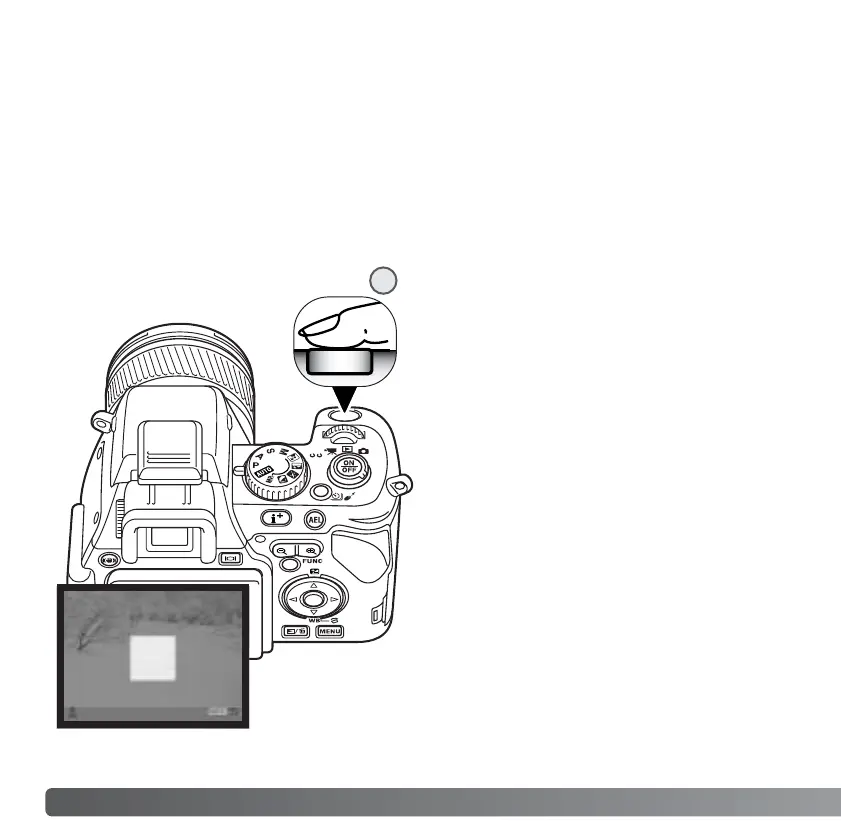
The measuring area is displayed on the
calibration screen. Select a white object
and fill the measuring area with it.
Press the shutter-release button all the
way down (1) to calibrate the camera.
1



 To Next Page
 Loading...









