Chapter 2 Disassembly / Reassembly
2-3
●
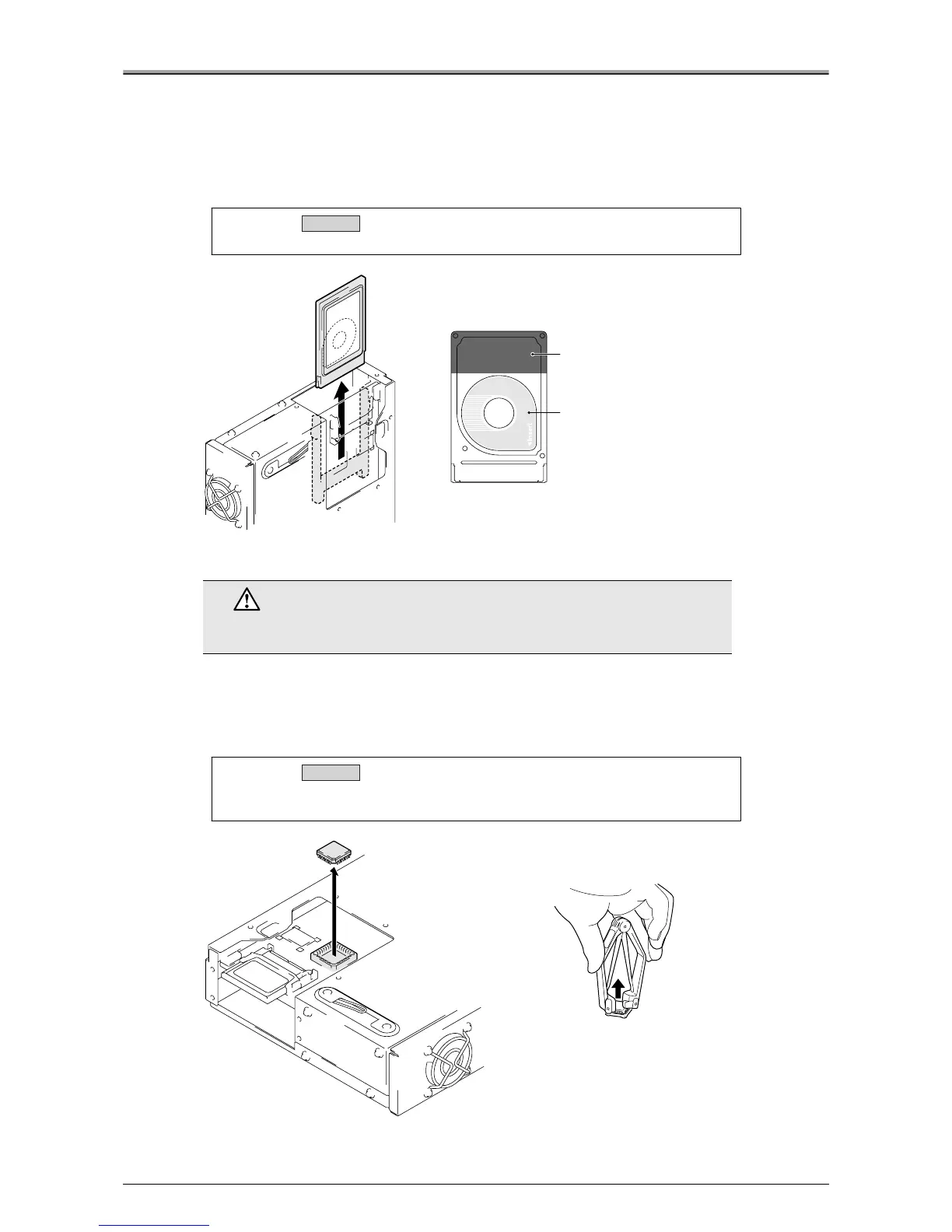
Removal / Installation of Hard Disk
1.
Remove Compact Flash.
Refer to "Removal / Installation of Compact Flash".
2.
Remove hard disk.
●
Removal / Installation of PostScript3 (Protection Chip)
1.
Remove 8 screws, and remove the board cover.
Refer to "Removal / Installation of Compact Flash".
2.
Remove the PostScript3 protection chip using a PLCC pull-out tool.
Caution:
Be sure to use a Konica approved hard disk.
Caution
The PostScript3 protection chip is sensitive to static electricity. Handle it with
care.
Caution:
See the silk on the board, and align the corner of the chip with that of the
socket and insert the PostScript3 chip.
Installation
Hold this area and pull.
Do not touch the surface
of the disk.
Installation
PLCC pull-out tool












 To Next Page