Chapter 2 Disassembly / Reassembly
2-8
2.
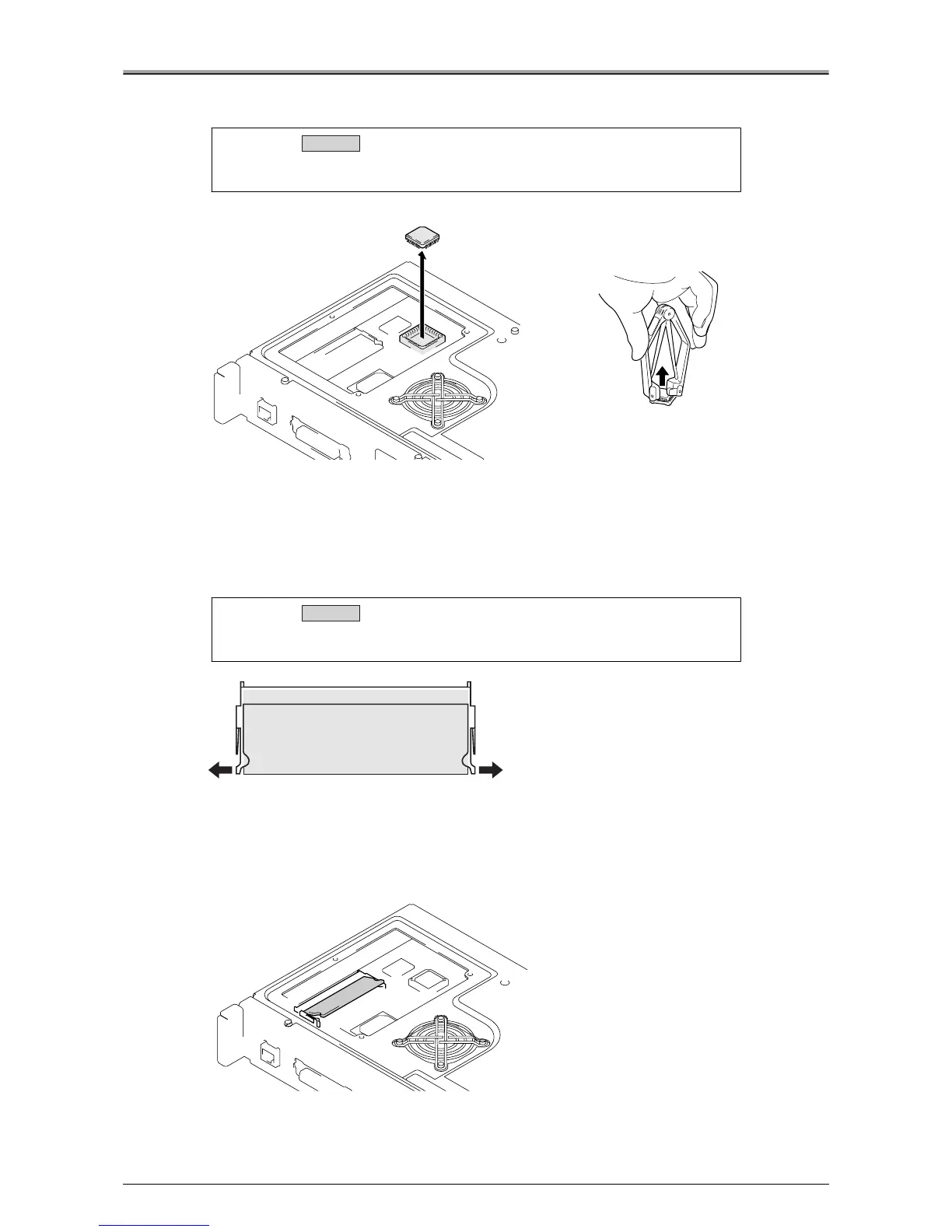
Remove the PostScript3 protection chip using a PLCC pull-out tool.
●
Removal / Installation of Memory
1.
Remove 3 screws, and remove the board cover plate /A.
Refer to "Removal / Installation of PostScript3 (Protection Chip)".
2.
Release the clips on either side of the expansion memory slot.
3.
Remove the memory from the expansion memory slot.
When removing the memory unit, put it in at an angle relative to the expansion memory slot.
Caution:
See the silk on the board, and align the corner of the chip with that of the
socket and insert the PostScript3 chip.
Caution:
Make sure that the clips for the expansion memory slot are securely
locked.
Installation
PLCC pull-out tool
Installation












 To Next Page