Chapter 2 Disassembly / Reassembly
2-9
●
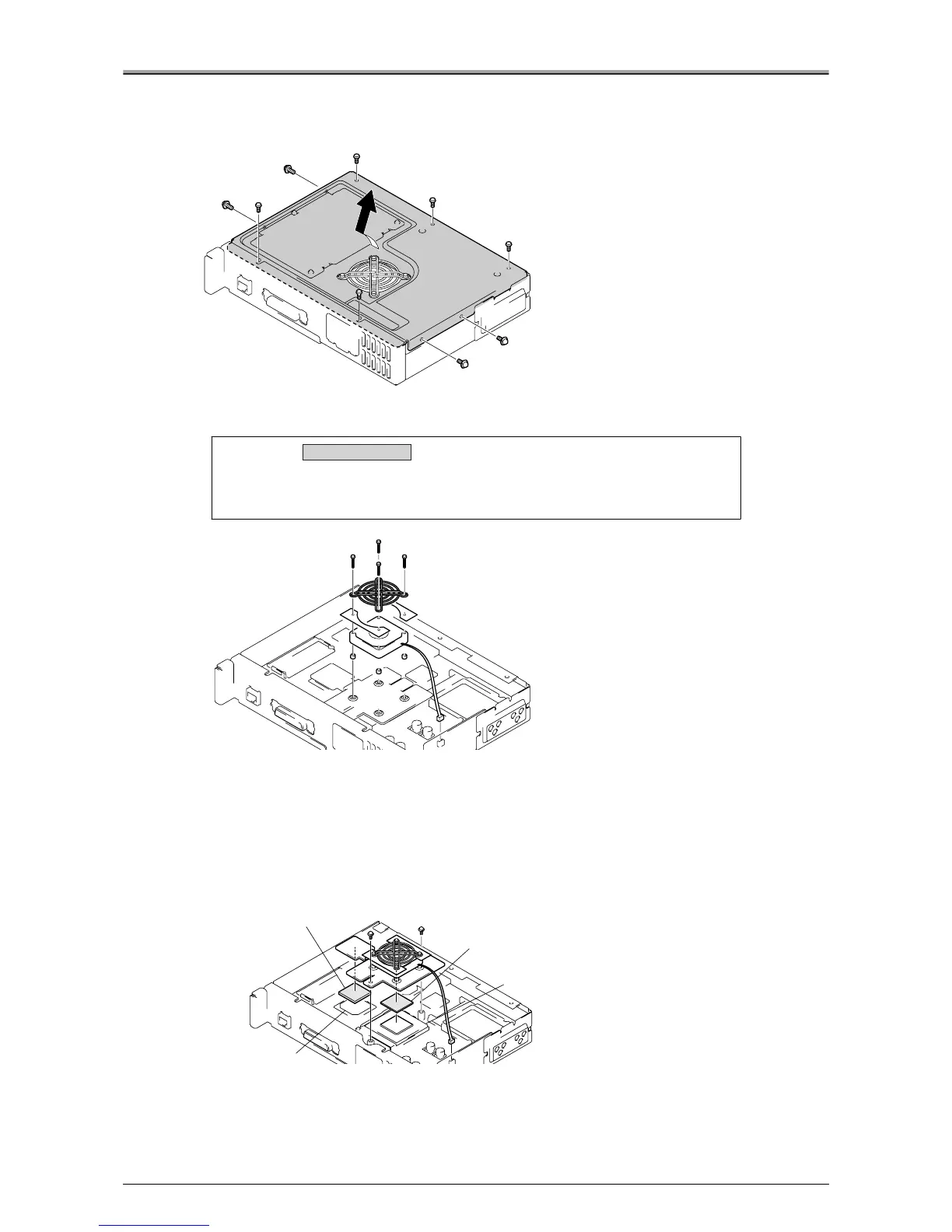
Removal / Installation of the Cooling Fan Motor
1.
Remove the 9 screws, then remove the board cover.
2.
Remove the 3P connector (CN14) and 4 screws, then remove the cooling fan motor.
●
Removal / Installation of the CPU
1.
Remove the board cover.
See the procedure in "Removal / Installation of the Cooling Fan Motor",
2.
Remove the 3P connector (CN14) and 2 screws, then remove the cooling fan motor
and heat sink.
Caution:
Take care not to lose that parts removed at the same time as the cooling
fan motor (fan guard and 4 collars). Also, be sure to attach the collars
when installing the cooling fan motor.
Removal / Installation
Radiation Sheet
CPU
Radiation Sheet
NorthBridge












 To Next Page