Appendix
Appendix-9
■
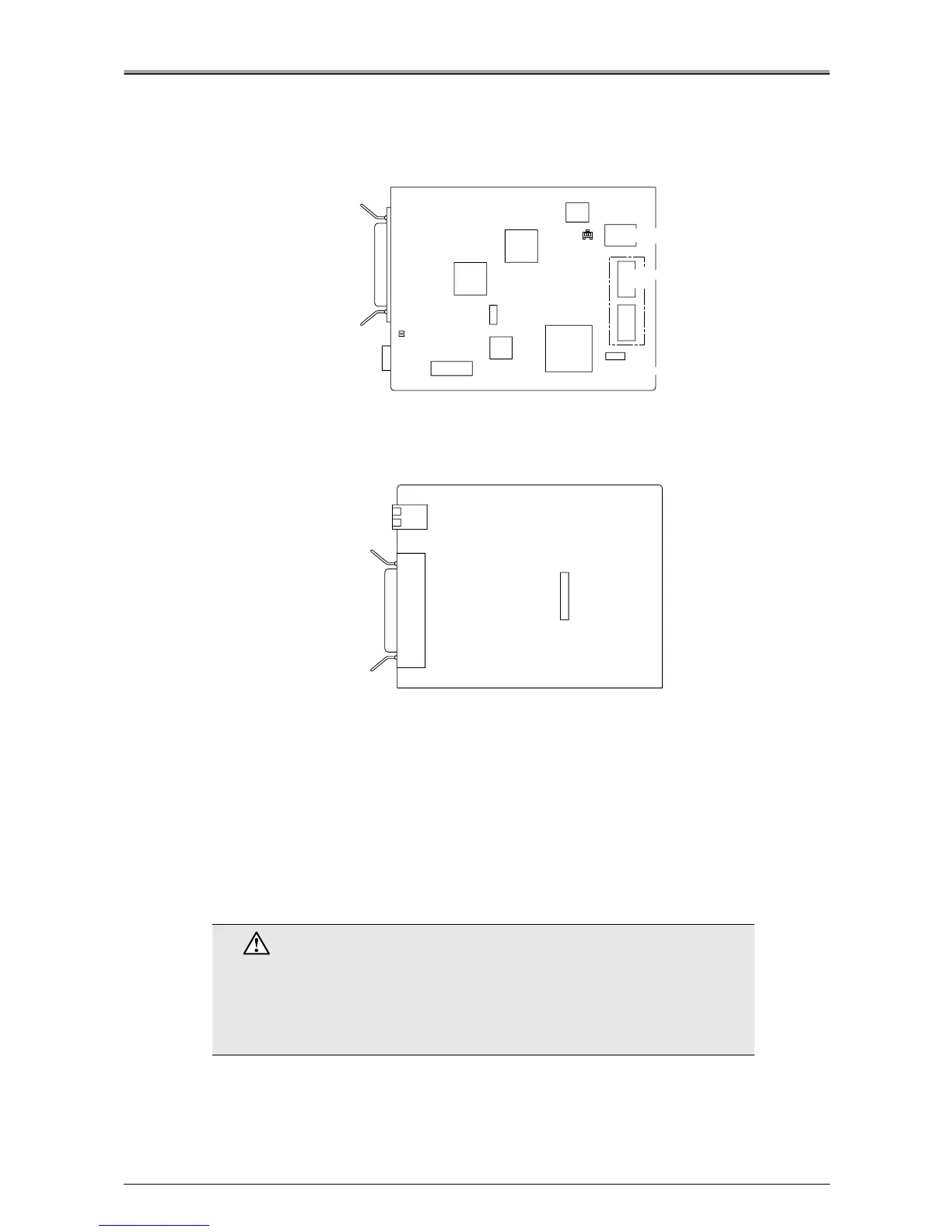
Components on the Printer I/F Board (IP-423)
●
Parts Side
●
Pattern Side
EEPROM: Network Configuration DATA maintenance
Slide Switch Functions
Normally, no need to change switch settings.
SW1: Reset to factory default setting
■ Initializing the (field optional) Hard Disk
If the hard disk does not operate correctly, format the disk. You can format the hard disk from the [Main
Menu] in the LCD display on the copier.
For more information, refer to the print controller User's Manual.
Caution
• When the hard disk is formatted any scan data, confidential data, PC-Fax
reception data stored on the disk will be erased. In addition, the printer set-
ting and controller settings will be reset the factory default settings.
• If the PostScript3 option has been installed, the font stored on the hard
disk will also be erased.
Clock Chip for
Network Control
Clock Chip for
Network Control CPU
Amber LED
Green LED
Network Control
Memory
Gate Arrey 1
(KPC01)
Gate Arrey 2
Network
Control CPU
Flash ROM
for Network
SW1
EEPROM
Relay Connector
RJ-45 Ethernet
Network Port
Parallel Port












 To Next Page