Chapter 2 Disassembly / Reassembly
2-4
●
Removal / Installation of Memory
1.
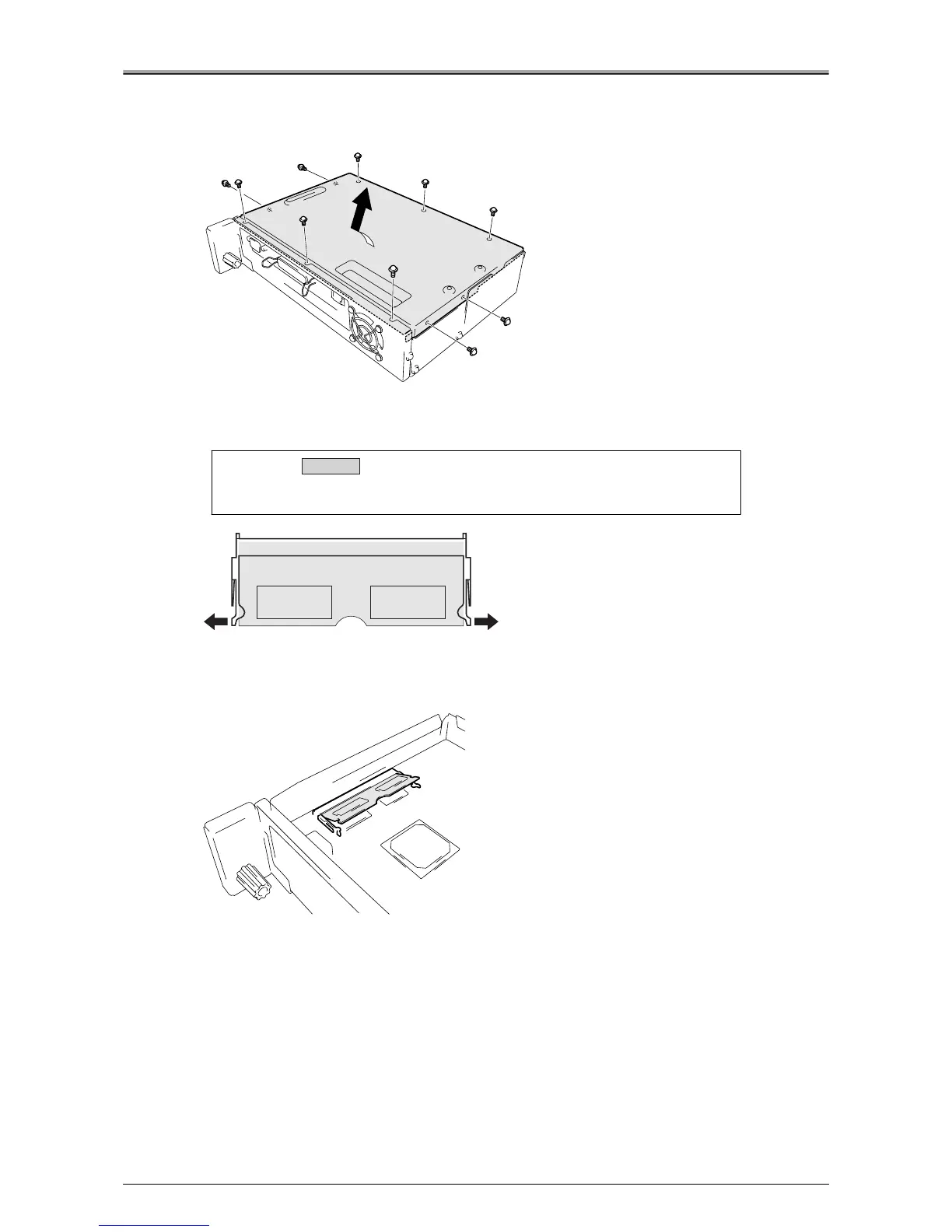
Remove 10 screws, and remove the outside cover to the arrow direction.
2.
Release the clips on either side of the expansion memory slot.
3.
Remove the memory from the expansion memory slot.
When removing the memory unit, put it in at an angle relative to the expansion memory slot.
Caution:
Make sure that the clips for the expansion memory slot are securely
locked.
Installation
Rubber Insert












 To Next Page