Replacing Consumables
7-13
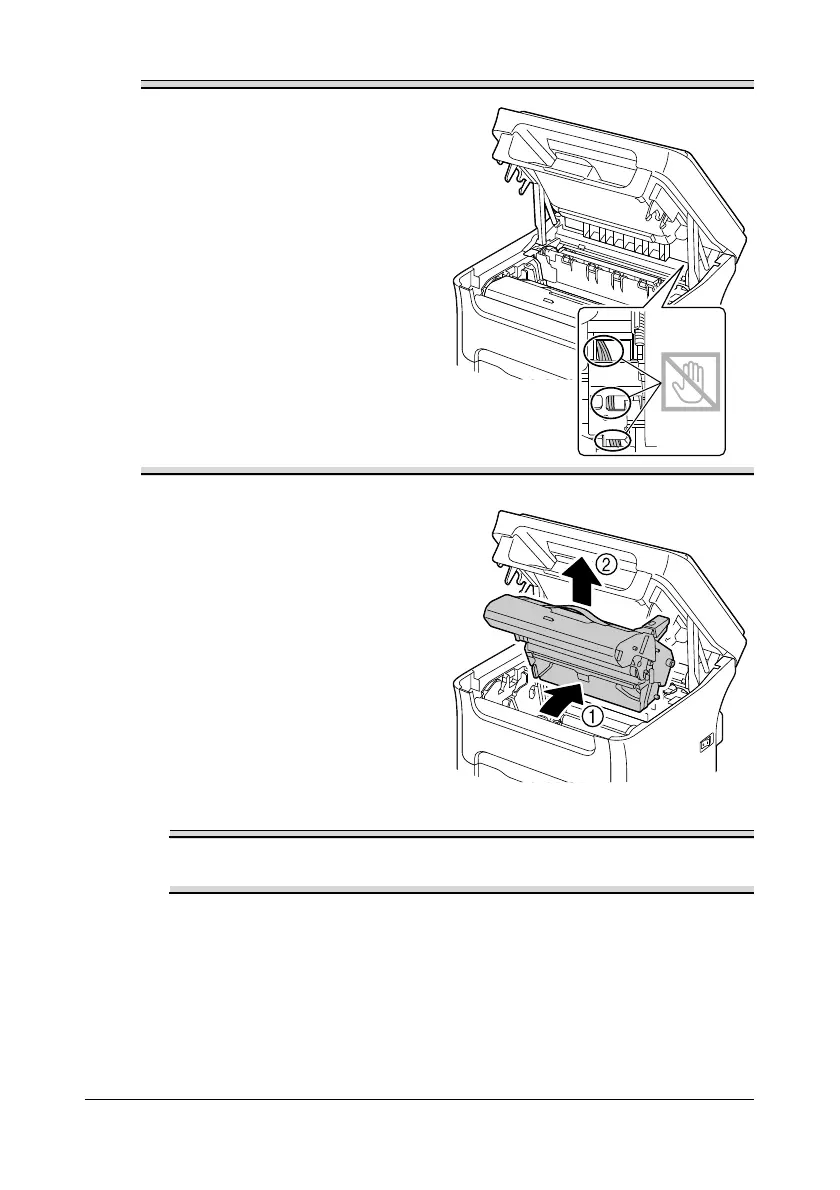
Do not touch the wires and flat
cable shown in the illustration.
2 Grab the handle and lift it up
slightly to the back, and then
slowly pull the imaging cartridge
out vertically.
Dispose of the used imaging cartridge according to your local
regulations. Do not burn the imaging cartridge.














 To Next Page