Replacing Consumables
7-14
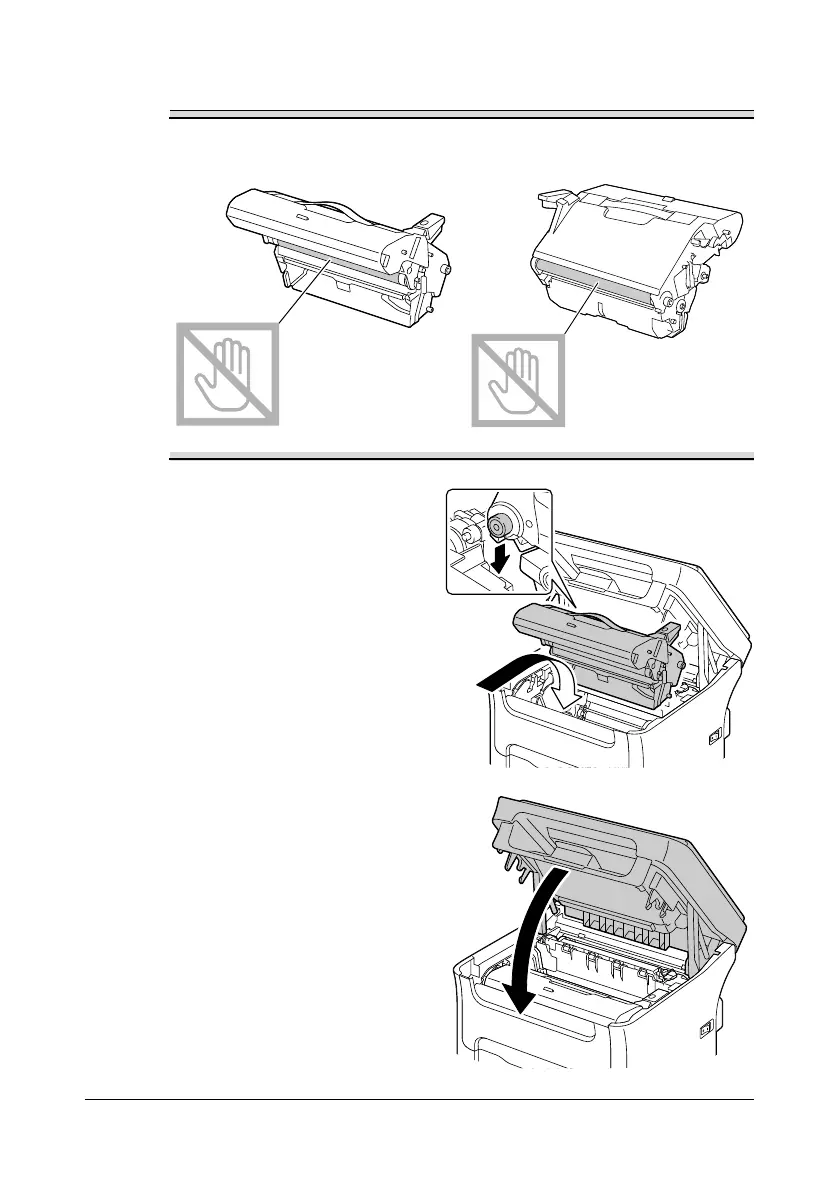
3 Prepare the new imaging cartridge.
Do not touch the PC drum and the transfer belt on the imaging
cartridge.
4 Slowly insert the new imaging
cartridge vertically, and then
push it slightly down toward you
to finish installing the imaging
cartridge.
5 Carefully close the scanner unit.














 To Next Page