KORG D12 Guided Tour
34
Assign an Insert effect chain to the guitar, for recording:
First, let’s make sure that the Insert Effects are being routed in line with the Inputs (for recording)
instead of the Tracks (for mixing):
1. Press [INSERT EFFECT] until you select the “InsAss” tab, and confirm that the upper left of the display reads “Assign: > In”.
If it is set to “Trk”, u to the
>
> popup button, press ENTER, and u to select “Input”, press ENTER, then u to the “OK” button
and press ENTER.
2. u to the
>
> popup button to the left of “1in1outx4”, then press ENTER.
3. u to highlight “1in2outx2”, press ENTER, then u to the “OK” button and press ENTER.
4. u to the “Insert To:”
>
> popup button (just above “InsEff2” tab), and press ENTER.
5. u to the “Off” parameter just to the right of the Insert effect “1” box.
6. Rotate the [DIAL] until the Insert Effect 1 edit cell reads “1>1>1” (input 1 bussed to insert effect 1), then u to the “OK” button
and press ENTER.
7. Press [INSERT EFFECT] until you select the “InsertEff1” tab, then rotate the [DIAL], play to audition and select any desired
effect (I039-I068 are guitar multis available in this effect configuration).
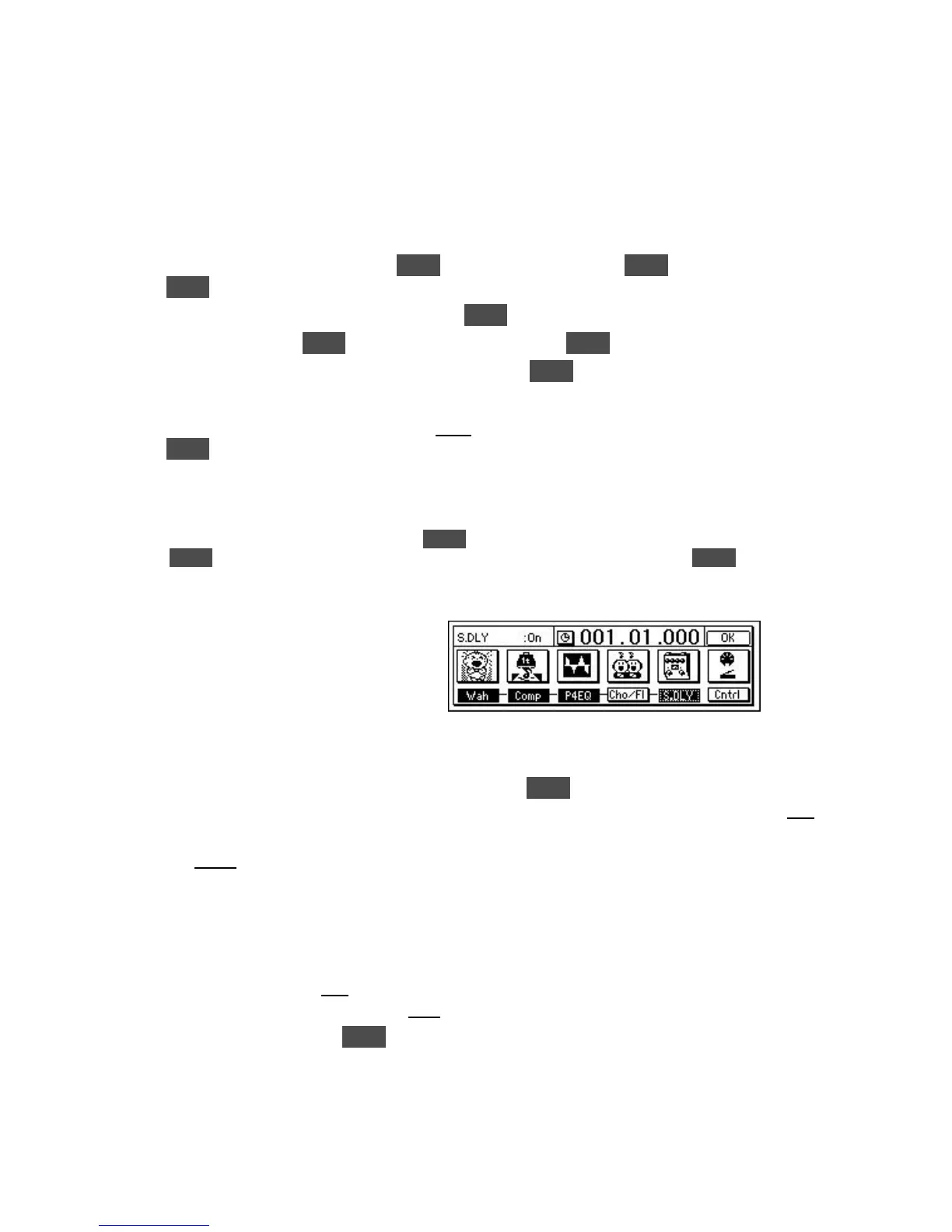
Tip: u to the selected Insert effect “button” and press ENTER to view the chain of effects, then u to the effect “icons” and
press ENTER to select parameters and program the effects to suit. u to the “Store” button, press ENTER, u to “U001”
and use the DIAL to select and store your edited effect chain to a new user location.
Audition a few of the 215 metronome and rhythm patterns:
1. Press [TEMPO/RHYTHM], then u to the “Rhythm:Off” button and press ENTER to set “Rhythm:On”. You’ll hear the
metronome, and the display will indicate the current settings. To adjust the metronome volume level, u to highlight “Vol:070” in
the display, then rotate the [DIAL].
2. u to highlight “Metro4” in the display.
3. Slowly-rotate the [DIAL] to the right, to audition some of the metronome and PCM rhythm patterns in memory. Note that some
of the patterns are indicated as Intro, Fill, or Ending by an I, F or E preceding the pattern name.
4. Play your source instrument along with the rhythm patterns, and pay attention to the rhythm pattern group named “8bt
Rock 1”, as you’ll be creating a Tempo Map with this group of patterns in the next exercise.
5. To set desired tempo, u to highlight “120” in the display, then rotate the [DIAL]. The display will indicate the new tempo
setting. Make sure to leave the time signature set to “04/04” for the following steps…
6. u to the “Rhythm:On” button and press ENTER to set “Rhythm:Off” and stop pattern playback.


 To Next Page