EasyManua.ls Logo

Koso RX2N GP - 3-5 Main Screen Display Selection; 3-6 Main Screen Display Adjustment

Koso RX2N GP
22 pages
Print Icon
To Next Page IconTo Next Page
To Previous Page IconTo Previous Page
Loading...
3
-5
The
main
screen function switch instruction Select
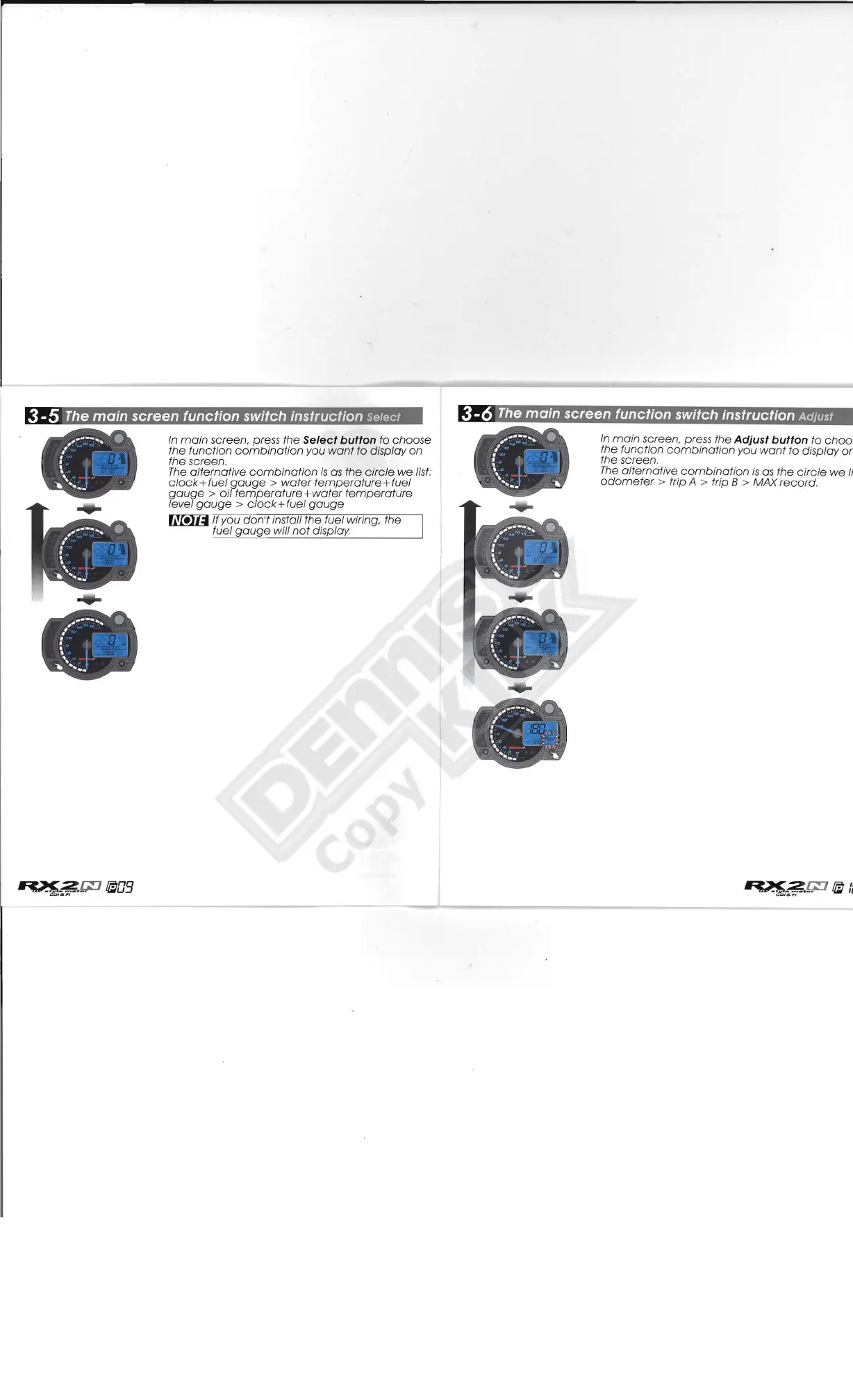
In
main
screen, press
the
Select button to
choose
the function
combination
you
want
to
display on
the screen.
The
alternative
combination
is
as
the
circle
we
list:
c/ock+fuel
gauge
>
water
temperature
+fuel
gauge>
oil
temperature
+
water
temperature
level
gauge>
c/ock+fuel
gauge
~
If you
don't
install the fuel wiring, the
fuel
gauge
will
not
display
3
-6
The
main
screen function switch instruction Adjust
In
main
screen, press
the
Adjust button to choo:
the function
combination
y
ou
want
to
display
o~
the screen.
The
alternative
combination
is
as
the
circ
le
we
Ii
odometer>
trip A > trip 8 > MAX record.

Related product manuals