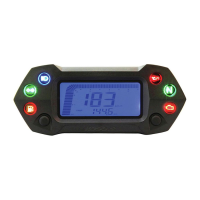
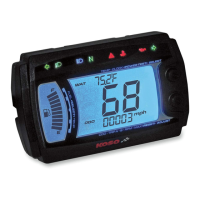
3-3
The
button function instruction
Select button
____
_ _ _ --:-
__
---::-_;:--:_--;--;-:--;-
1.ln
main
screen, press the Select
but
ton to choose the display
of
clock
,
water
temperature
or
oil
temperature
.
2.ln
power
test screen, press the Select button to choose the function you
want
to
use.
3.ln setting screen, press the Select to choose the
fun
ctio
n you
want
to
set.
Se
l
ect
button X 3 seconds
1.
/n
main
screen,
ho
ld
down
the Select button for
3 seconds to enter the
power
test screen.
2.ln p
ow
er
test screen,
hold
down
the Sel
ect
button for 3 seconds to
back
to the
main
screen.
3.1n
setting screen,
hold
down the Select button
for 3 seconds to
back
to the
main
screen.
Adjust button _
___________
--:-_--:---:------:-
1.
ln
main
screen, press the Adjust button to choose the display
of
odometer,
trip
A trip B
or
the
MAX
record.
2.ln
power
test screen, press the Adjust button to reset the
record
, stop the
testing,
or
restart the test. .
3.1n
setting screen, press the Adjust button to
make
the
number
setting. If
you keep pressing down the
Adjust button the setting
number
will
increase
fast.
Adjust button X 3 seconds .
In
main
screen,
hold
down
the
Ad
just button for 3 seconds to reset the tnp
A trip B,
or
the MAX
record
.
Hold down the adjust button _ _ _
___
_
__
_ _
In
setti
ng
screen, to
add
the setting value fast.
Select & adjust X 3 seconds
In
main
screen,
ho
le down the Select & Adjust
buttons
at
the
same
time
for 3 seconds to enter
the setting screen.
Fo
r safety reason - you
could
adjust the setting
or
operate
~
""'ICJl
..
-'-.uo<"-I
'"
the function only when the bike
is
stop.
~~
~
@n7
3
-4
The
screen switch instruction
#",..............
r').~
:
•
,--
I
I
,
'.
,
' ...... I
Bs
/e
c t &
Ad
Jue t
X3B
#.................
I'i:
·
•
,
·
,
,
,
,
·
".
~~-
In
the setting screen,
hold
down
the
Select
button for 3 seconds to
back
to the
main
screel
In
main
screen,
hold
down
the
Select
& Adjust
button
at
the
same
time
for 3 seconds to
enter
the setting screen.
In
main
screen,
hold
down the Select buttons
for 3 seconds to
enter
the
power
test screen.
In
power
test screen,
ho
ld
down
the Select
buttons
for 3 seconds to
back
to
the
ma
in scree
In
any screen, you
could
hold
down the Select
buttons
for 3 seconds to
bac
k to the
main
screen.



 To Next Page