Propersetupoftheunitwillletyouenjoybetter soundandpicturequalityaswellasmanyusefulfeatures.The
selectionsarethepreferredoptionsthat willbechosen,providedtheyareavailableonthe disc.NOTE:mfthe
discmeadeddacenet have the preferred aptien then the disc's awn preference sheared he used,
BASIC OPERATIONS
To access the setup menu the unit must be in STOP made,
Play ] Inse_t a disc
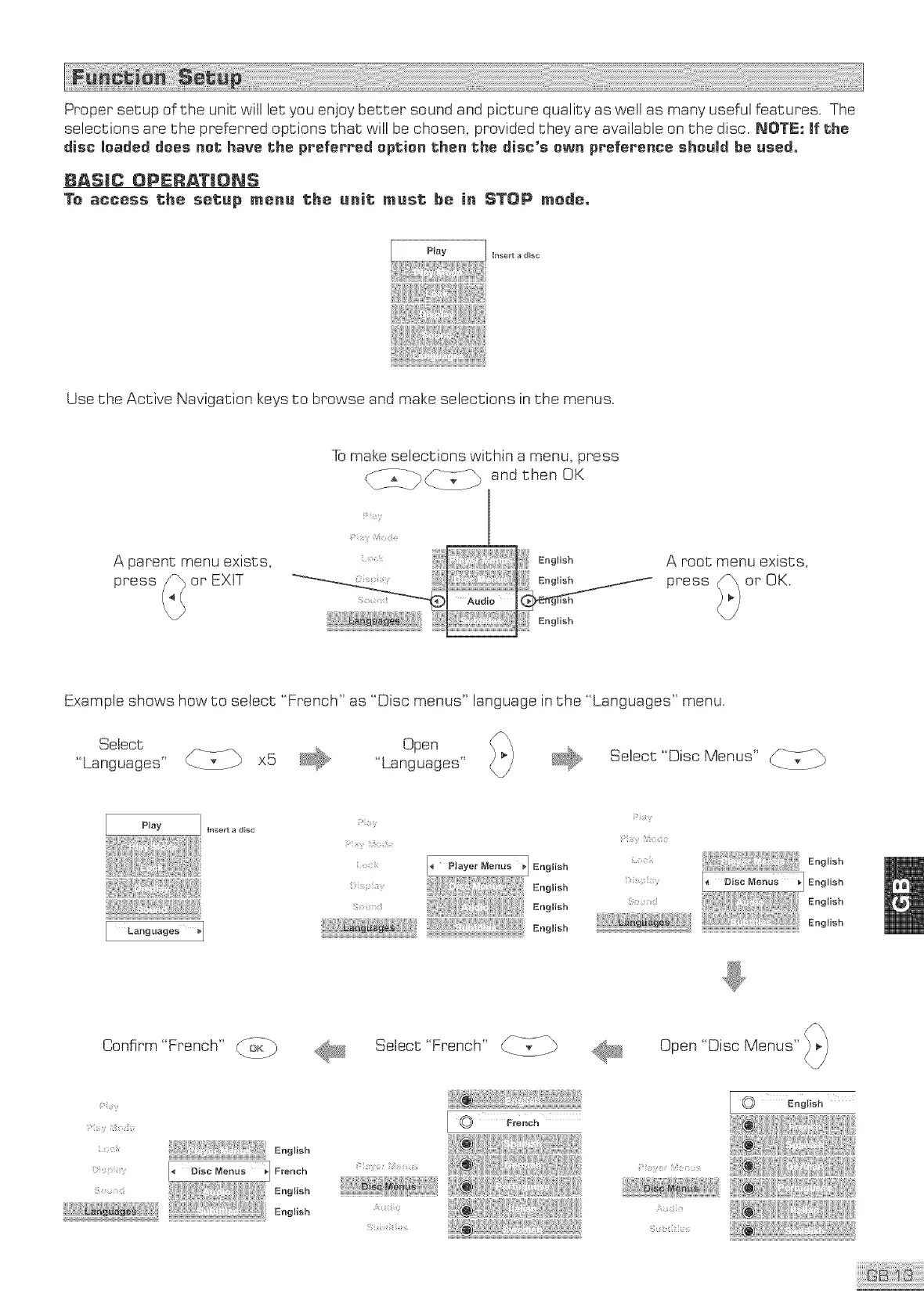
Use the Active Navigation keys to browse and make selections in the menus.
To make selections within a menu, press
A parent menu exists,
or EXIT
A root menu exists,
press (_\ or OK.
Example shows how to select "French" as "Disc menus" language in the "Languages" menu.
Select Open
"Languages" x5 "Languages"
Select "Disc Menus" JL-V_
Play ] Iflse_t a d{sc
Languages _1
[. Player Menus _] Eoglish
Eoo,,o.
......... CE=b}': ii= Eoo,o.
Eog,o.
English
_>is_i_y English
Eog,,o,
Confirm"French" _b
Select "French" CI <?._
Open "Disc Menus"
Y
y <
_,_.,.... _i@£!!!iiii!!!'ii!ii!!£!l!i!_!!!,!,!!i!ii!_!ii!!!iiii_lili_
English
French
English
I 0 French
?
_ English
i¸;_ii_y _b i¸I/!_:?; _ __;
;


 To Next Page