1. Toplay DVD disc, press _ to open the disc tray.
2. Load disc onto the tray with the label side facing upward.
3. Press _ to close the tray. The disc will start playing automatically. There may be a short delay before
playing while the player reads the menu from the disc.
Pause, Smew Metbe and Frameoby-Frame Advance
Press || to freeze playing temporarily. Press repeatedly to select between "Pause" and "Freeze" modes. Inthe
"Pause" mode, press _/_ to start forward/backward slow motion play [increase or decrease speed by,
pressing _//_ repeatedly], tn "Freeze" made, each press of_/_ ,,,ill move the play forward/
backward by one frame. Press _ to resume normal playing.
Skip
Press _/_ to skip forward or backward a @@ten
Fast Search
Press _/_ to search through the disc forward or backward quickly. Pressing _/_ ,,,ill increase/
decrease the search speed.
[Note: there is no sound in Fast Search, Slow Motion and Frame-by-frame Advance modes. Press _ to
resume normal playing.]
Quick keys _MENU, TITLE)
Press corresponding keye te ge into their respective disc menu. Select options in menus with navigatien keys
and confirm selection by pressing ©K]
Step and Resume step
Press [] once to resume stop. In this mode playing can be resumed from the stop point by pressing _.
Press [] twice to stop playing completely and press J_ will start playing from the beginning.
Active Navigatbn
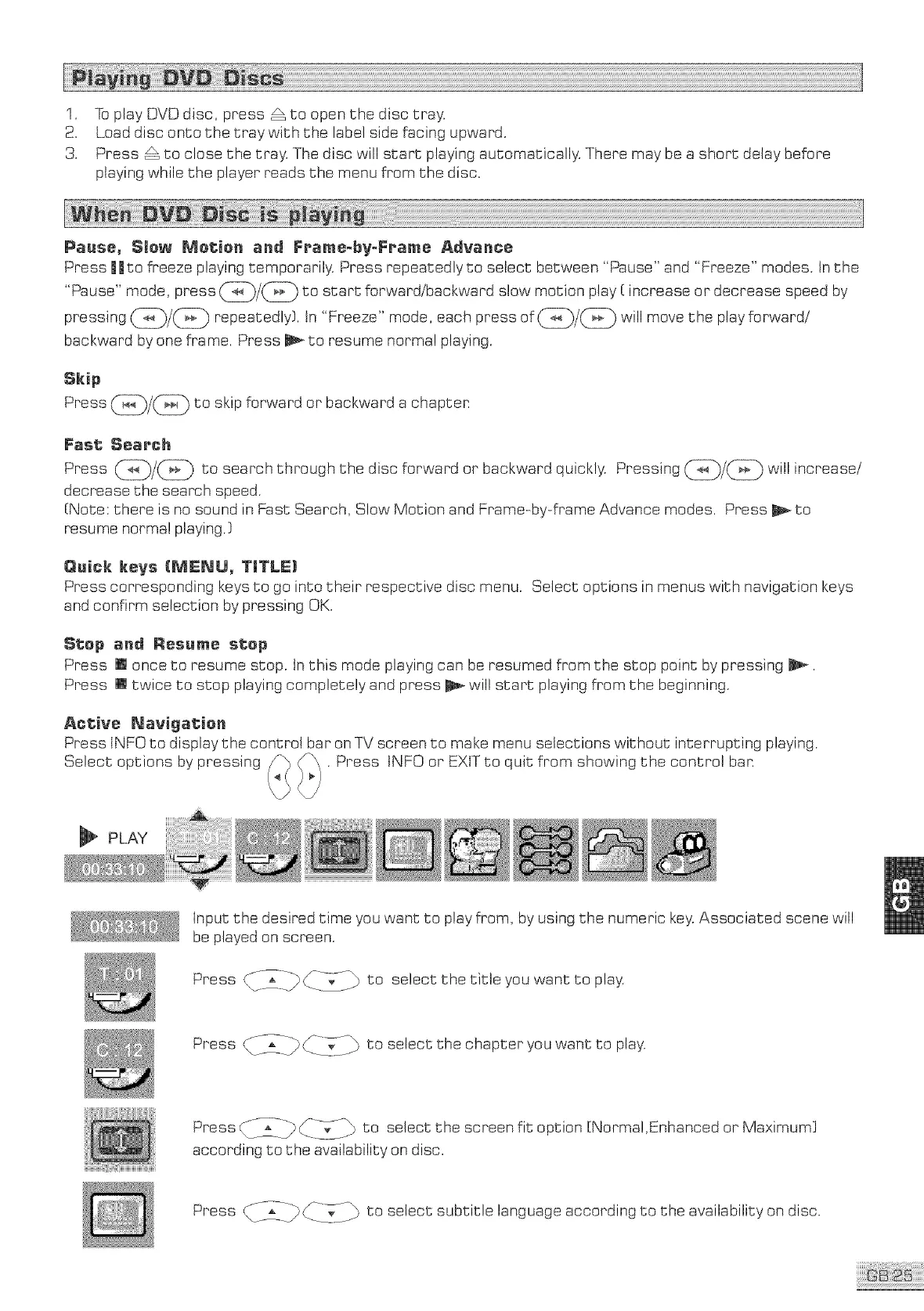
Press INFO to display the control bar on TV screen to make menu selections without interrupting playing.
Select options by pressing . Press tNFO or EXIT to quit from showing the control ban
_l_ PLAY
Input the desired time you want to play from, by using the numeric key.Associated scene will
be played on screen.
Press _5_i_ CI-_;-i_ to select the title you want to play.
Press _T_I_ __._ijJ_ to selectthe chapteryou want to play.
Press __ _]_-_d]\'_ to select the screen fit option [Norma!,Enhanced or Maximum]
according to the availability on disc.
Press CT2I_ ___}-7/._ to select subtitle language according to the availability on disc.



 To Next Page