,
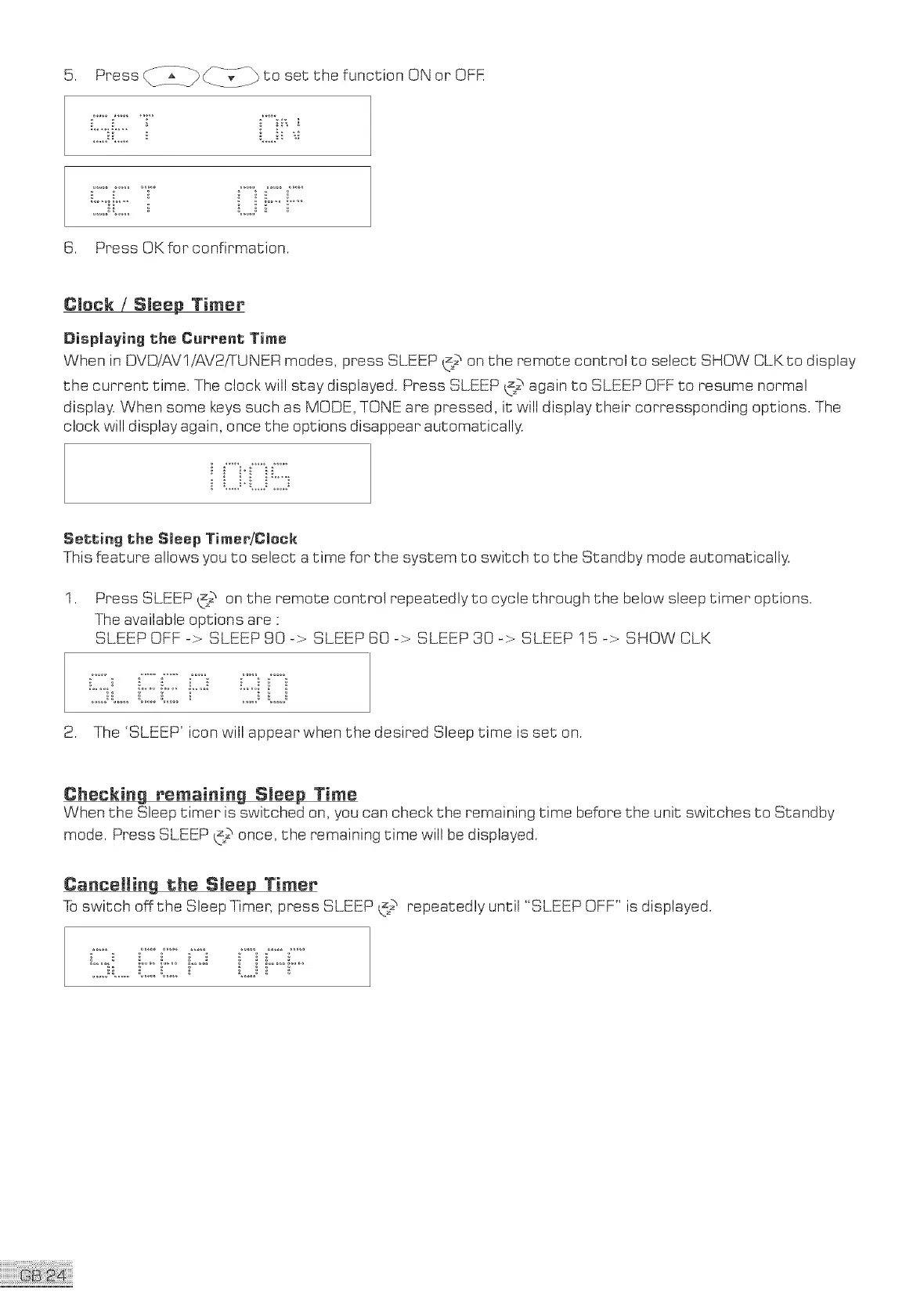
6. Press OK for confirmation.
Press _7]__ _-_-<_ to set the function ON or OFK
CJeck / Sleep Timer
Displaying the Current Time
When in DVDiAVl/AV2/TUNER modes, press SLEEP (_ on the remote control to select SHOW CLKto display
the current time. The clock will stay displayed. Press SLEEP _ again to SLEEP OFF to resume normal
display. When some keys such as MODE, TONE are pressed, it:will display their corressponding options. The
clock will display again, once the options disappear automatically.
Setting the Sleep TireertiCleck
This feature allows you to select a time for the system to switch to the Standby mode automatically.
1. Press SLEEP _z2 on the remote control repeatedly to cycle through the below sleep timer options.
The available options are "
SLEEP OFF -> SLEEP 90-> SLEEP 60-> SLEEP 30-> SLEEP 15 -> SHOW CLK
__i i_°°_i.... i__ _-_!
2. The 'SLEEP' icon will appear when the desired Sleep time is set on.
Checking remaining Sleep Time
When the Sleep timer is switched on, you can check the remaining time before the unit switches to Standby
mode. Press SLEEP t_;2once, the remaining time will be displayed.
Cancelling the Sleep Timer
Toswitch off the Sleep Timer, press SLEEP _2 repeatedly until "SLEEP OFF" is displayed.


 To Next Page