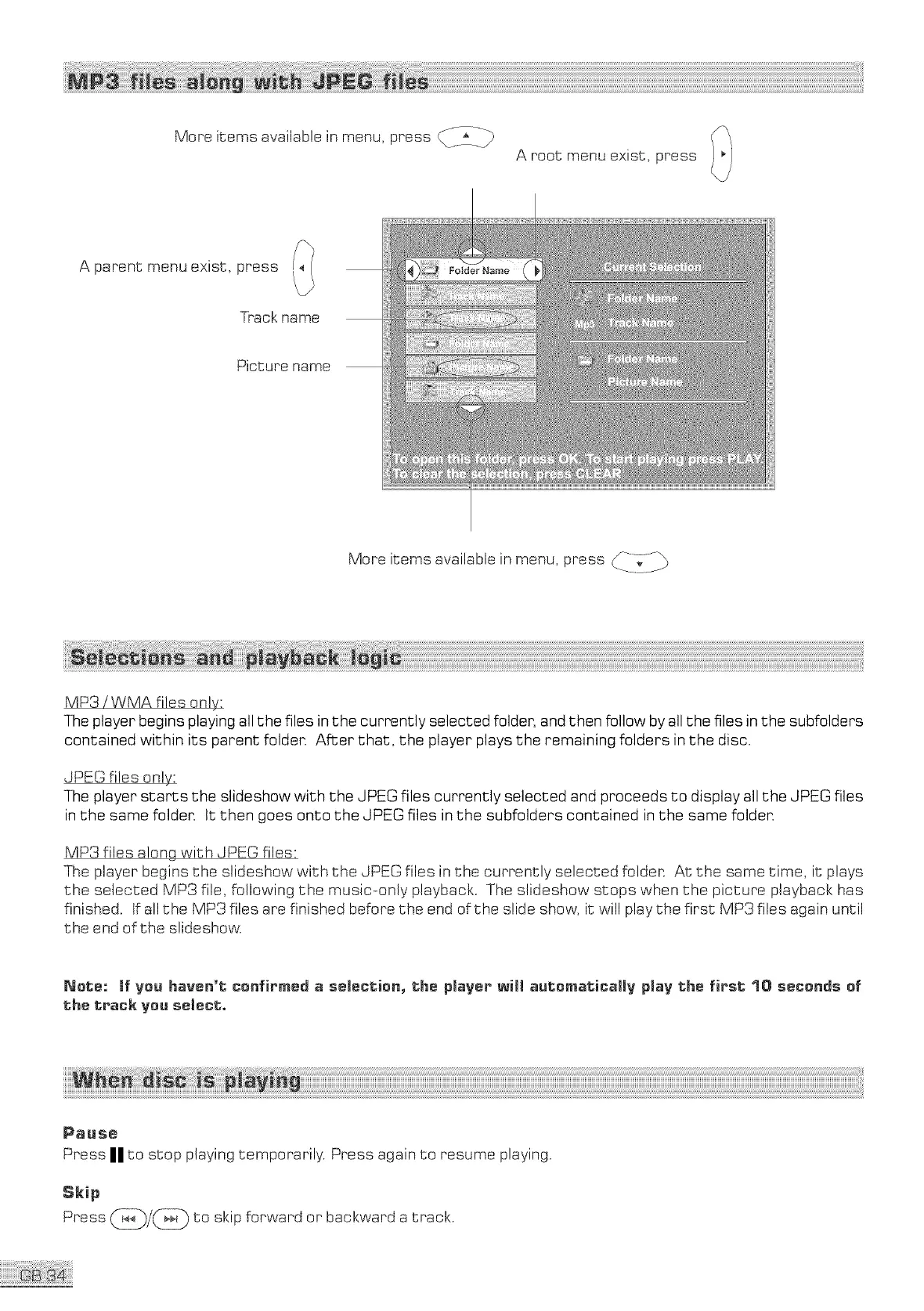
Moreitemsavailableinmenu,press___
Aroot menuexist,press
Aparentmenuexist,press
Trackname
Picturename
More itemsavailableinmenu, press _]_
MP3/WMA files only:
The player begins playing all the files in the currently selected folder, and then follow by all the files in the subfolders
contained within its parent felden After that, the player plays the remaining folders in the disc.
JPEG files only:
The player starts the slideshow with the JPEG files currently selected and proceeds to display all the JPEG files
in the same folder. It then goes onto the JPEG files in the subfelders contained in the same folder.
MP3 files along with JPEG files:
The player begins the slideshow with the JPEG files in the currently selected folder. At the same time, it plays
the selected MP3 file, following the music-only playback. The slideshow stops when the picture playback has
finished, tf all the MP3 files are finished before the end of the slide show, it will play the first MP3 files again until
the end of the slideshow.
Note: If Vou haven't confirmed a selection, the player will automatically plav the first 10 seconds of
the track you select,.
Pause
Press IIIIto stop playing temporarily. Press again to resume playing.
Skip
Press _/_ to skip forward or backward a track.



 To Next Page