DolbVD_gDi ital Surround
The Oolby Digital Surround system requires connections of all 5 speakers [front lefts, center, front right,
surround right, surround left} for the correct surround sound reproduction. This 5. ! channel digital surround
format enables five individual full-range [20Hz-2OKHz} channels plus an LFE [Low Frequency Effects} channel
for the low-range [20Hz-120Hz} effects, tt creates a realistic sound similar to the theaters and cinemas. A
large proportion of DVD discs use this system for sound.
Delb¥ Pre Legit li Surround
The Dolby Pro Logic ttSurround system is the next generation in Dolby Surround decoding, tt creates five full-
bandwidth output channels from two-channe! sources. This is done using an advanced, high-purity matrix
surround decoder that extracts the spatial properties of the original recording without adding any new sounds
or tonal colorations.
3 Steree
3 Stereo produces three channels [front left, center, front right} of sound from a two channels analog signal, tt
is net a surround format so it does not require surround speakers.
Seundfieid Effecl_s
The digital Soundfietd Effects recreates the effects of sounds reflected from wails or ceilings to obtain the
sound presence of real environments.
Stadium: recreates a large stadium using very long reverberation times.
Stage: recreates a stage environment, emphasizing sound from the front speakers.
Hall: recreates a hall using lots of reflections. Suitable for orchestral music such as classical and opera.
Disco: recreates the disco or club music effect, tt is suitable for all types of music that are played in disco.
Live: suitable for all types of music.
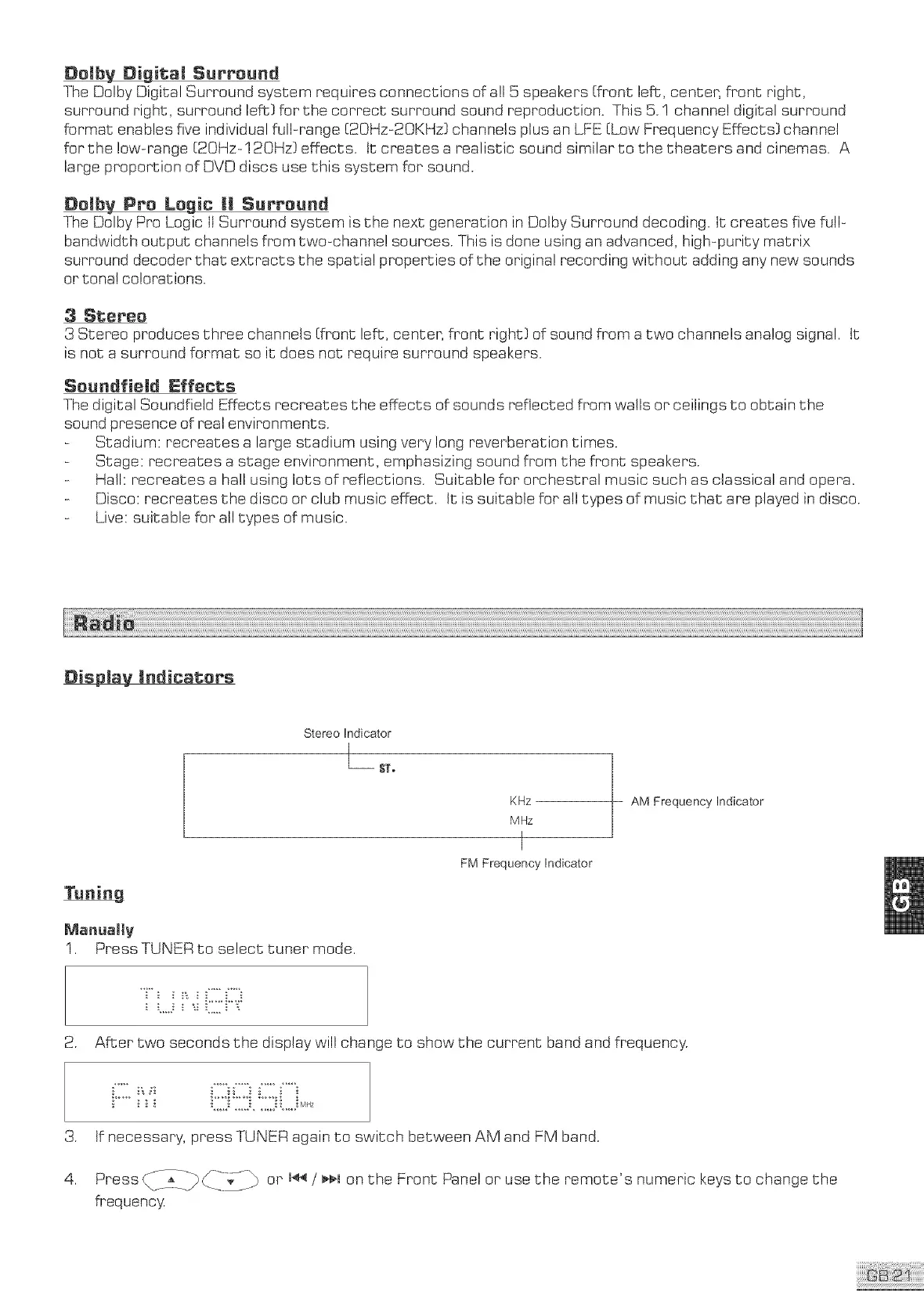
Display !rid!cat;ors
Stereo Indicator
I
L_ Sl[,
Tuning
KHz
MHz
I
FM Frequency Indicator
Manually
1. Press TUNER to select tuner mode.
AM Frequency Indicator
.
.
4.
...... %.H. %..;
After two seconds the display will change to show the current band and frequency.
tf necessary, press TUNER again to switch between AM and FM band.
Press <2__L-_ ___-_-_D or ,44 / ,,, on the Front Panel or use the remote'e numeric keys to change the
frequenc)_



 To Next Page