o
©
0000001
©
4
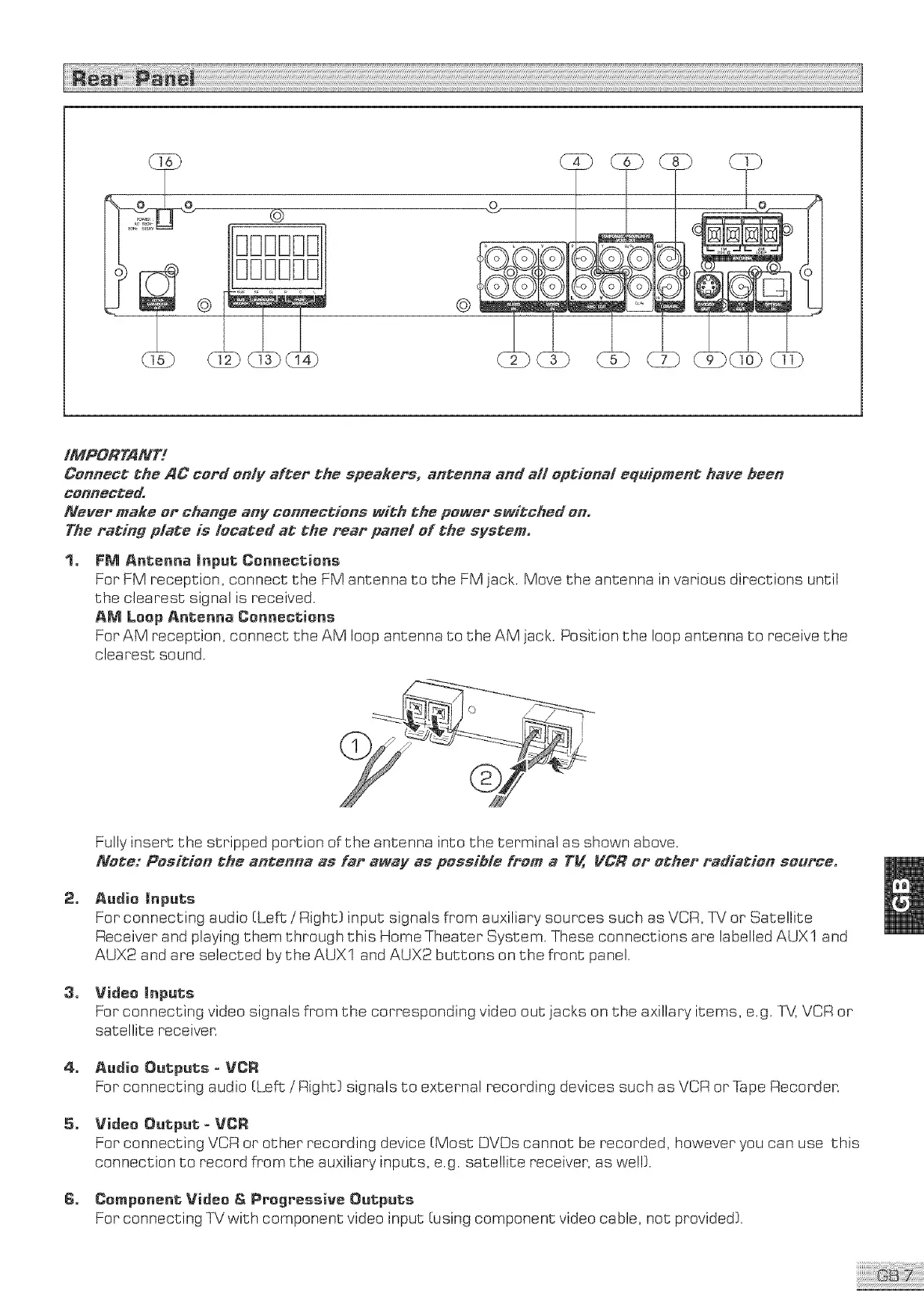
FM Antenna (nput Conneotions
For FM reception,connect the FM antenna to the FM jack.Move the antenna invariousdirectionsuntil
the clearestsignalisreceived.
AM Loop Antenna Cenneotieno
ForAM reception, connect the AM loop antenna to the AM jack. Position the loop antenna to receive the
clearest sound.
2_
3_
4_
6_
Fully insert the stripped portion of the antenna into the terminal as shown above.
Note: Pooition the antenna ao far awCv ao possible from a T_ VCJ? or other radiation source,
Audio (nputo
For connecting audio (Left: / Right( input signals from auxiliary sources such as VCR, TV or Satellite
Receiver and playing them through this Home Theater System. These connections are labelled AUXI and
AUX2 and are selected by the AUX1 and AUX2 buttons on the front panel.
Video (nputo
For connecting video signals from the corresponding video out jacks on the axillary items, e.g. Ri_ VCR or
satellite receiven
Audio Outputs = VCR
For connecting audio (Left /Right( signals to external recording devices such as VCR or Tape Recorder.
Video Output = VCR
For connecting VCR or other recording device (Most DVOs cannot be recorded, however you can use this
connection to record from the auxiliary inputs, e.g. satellite receiver, as well(.
Component Video & Progressive Outputs
For connecting TV with component video input (using component video cable, not provided}.



 To Next Page