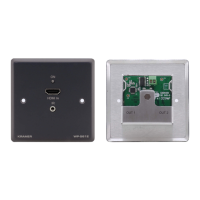
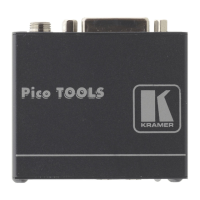
• Easy Remote Device Control – Control devices connected to KIT-400 from the
user-friendly Kramer Aware interface on the KIT-400 embedded webpages, and access
the interface using the Kramer Aware app on a compatible Kramer touch panel.
• Convenient Unit Control and Configuration Options – Local control via front panel source
selection buttons, DIP-switches for audio configuration, and an OSD driven menu for
configuration of the receiver. Distance control via user-friendly embedded webpages via
Ethernet, Protocol 3000 API, RS-232 serial commands transmitted by a PC, touch
screen system or other serial controller and relay switches.
• Bidirectional RS-232 Extension – Serial interface data flows in both directions, allowing
data transmission and device control.
• Auto-scanning of inputs.
• Efficient power-saving features.
• Field Upgradable – Via its USB port (KIT-400T and KIT-400R), or via Ethernet
(KIT-400T).
• Easy, Cost-effective Maintenance – Local firmware upgrade via USB connector.
• Easy and Elegant Installation – Single cable connectivity for both HDBaseT signals and
power. Compact MegaTOOLS™ fan-less enclosure for dropped-ceiling mounting, or
side-by-side mounting of 2 units in a 1U rack space with the recommended rack adapter.
Flexible Connectivity
• Local Switching Control of 3 Local and 1 Remote Source – Select from 4 sources, each
with a dedicated selector button on the transmitter front panel, to output to an HDMI
display: 2 HDMI inputs and 1 VGA input, with dedicated audio jack, on the transmitter
side and an additional HDMI input on the receiver side.
• Audio De-embedding – Output the HDMI audio to a balanced stereo output on the
receiver side, and an unbalanced stereo output on the transmitter side.



 To Next Page