Copying EDID from an Input
To copy an EDID from an input to an input:
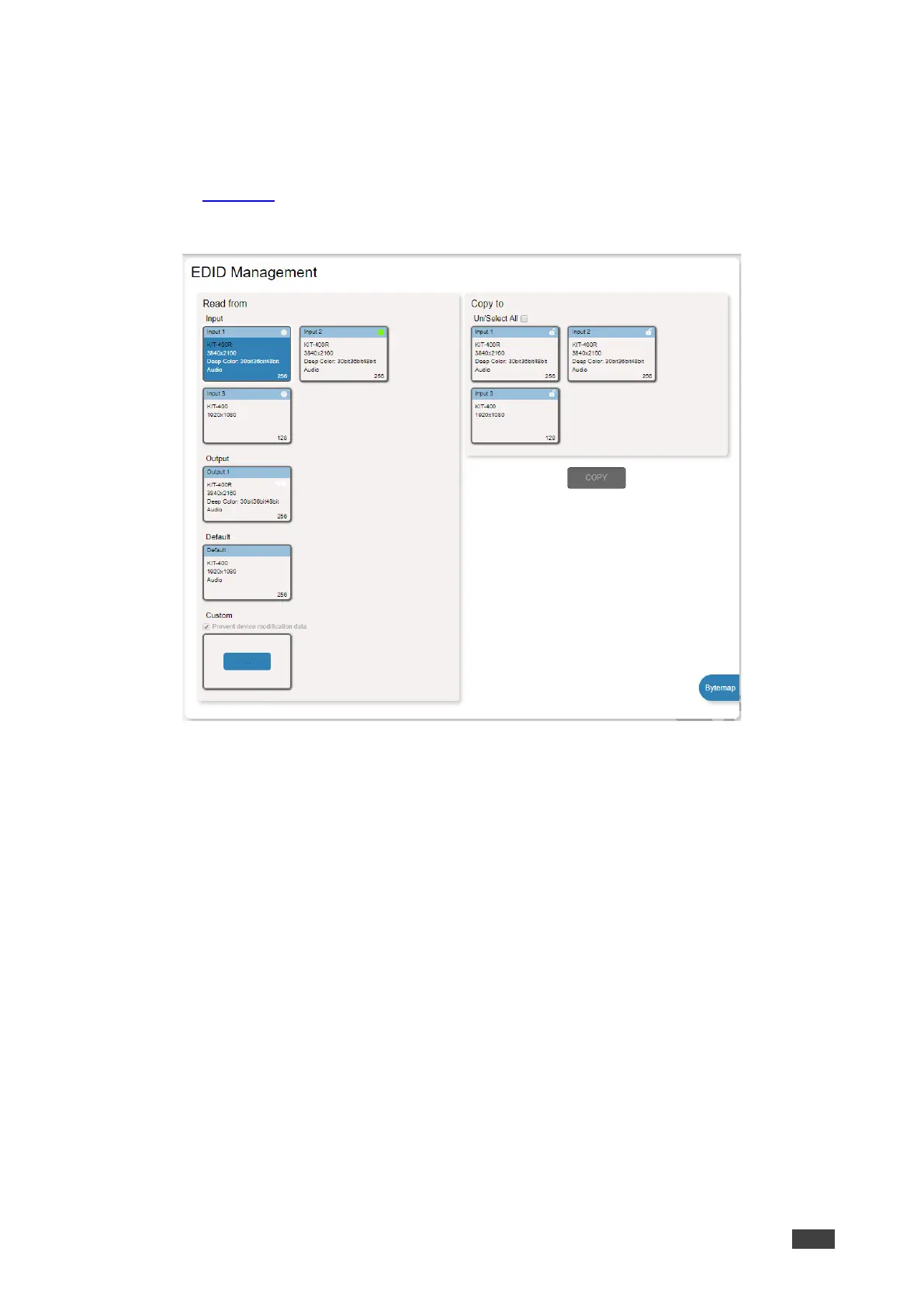
1. In the Navigation pane, click EDID Management. The EDID Management page appears
(see Figure 43).
2. Under Read from Input, Select an input (for example, Input 1).
Figure 46: EDID Management Page – Copy from Input



 To Next Page