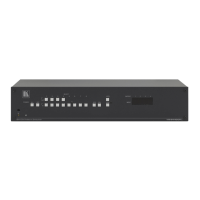
Figure 18: Keyboard Extension (EXT. KEYS) Connector
To use the Keyboard Extension, activate the extended KEYBOARD
setting Menu command, as section
8.5
describes.
7 Operating Your Balanced Stereo Audio Matrix
Switcher
Operate your VS-1616A via:
• The front panel buttons (as this section describes)
• RS-232 or RS-485 serial commands transmitted by a touch
screen system, PC
1
• The Kramer RC-IR2 Infrared Remote Control Transmitter
, or other serial controller
• Dry contact-closure switches connected to the Keyboard
Extension
7.1 Viewing the Startup Display
After switching on the power, the MATRIX and STATUS
2
1 For instructions on using Kramer Windows®-based control software, refer to the separate user manual (included on the CD-
ROM in .pdf format), Kramer Control Software
displays show
the following screens in sequence:
2 Version 1.5 is shown in the Status Display as an example; text in the Matrix Display may vary (according to machine
settings)



 To Next Page