Start-up
35
Pos: 17.34 /Überschriften/Überschriften 2/A-E/AAbstellstütze in Transportstellung schwenken @ 10\mod_1221637347634_78.docx @ 135539 @ 2 @ 1
6.6 Swivelling parking support into transport position
Pos: 17.35 /BA/Bedienung /EasyCut/Abstellstütze/Abstellstütze angehoben Bild EC 280/320 @ 10\mod_1221638211056_78.docx @ 135648 @ @ 1
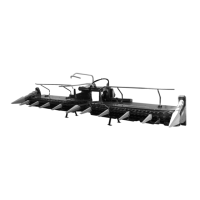
Figure
Pos: 17.36 /BA/Bedienung /EasyCut/Abstellstütze/Abstellstütze in Transportstellung schwenken @ 12\mod_1223983226897_78.docx @ 149837 @ @ 1
After the machine is attached, swivel the parking support into transport position.
• Use the three-point hydraulic system to raise the parking support somewhat.
• Swivel the parking support (2) into transport position and lock it in place with the bolt (1).
Pos: 18 /Layout Module /---------------Seitenumbruch---------------- @ 0\mod_1196175311226_0.docx @ 4165 @ @ 1








 To Next Page